
Shopping Cart
There are no more items in your cart
 Español
 English
 Português PT
 Français
 Italiano
 Deutsch
 اللغة العربية
In summary: If you are looking for the lowest thermal impact for high-consumption components, the mesh front panel case is the right choice; if you prioritise containing front-facing noise and visibility of the internal components, you should opt for a case with a tempered glass front.
Table of contents
- Which front panel to choose: tempered glass or front mesh?
- What are the real thermal and acoustic differences?
- What technical criteria should you check before buying?
- Why does fan size change performance?
- What options exist depending on the chassis format?
- What are the most common mistakes when choosing a case?
- Frequently asked questions
- Final verdict
Which front panel to choose: tempered glass or front mesh?
The choice between a mesh panel and a tempered glass panel defines the aerodynamic resistance faced by the front fans. A metal mesh intake offers continuous perforations with air permeability above 40% open surface area, which reduces flow restriction to values close to 0.2 mmH2O.
In contrast, a tempered glass front blocks direct passage and forces air to enter through side vents that are usually between 10 mm and 25 mm wide. This generates a resistance that requires fans with higher static pressure (above 1.5 mmH2O) to maintain a constant airflow measured in CFM into the chassis.
| Criterion | Tempered glass | Front mesh |
|---|---|---|
| Front air intake | Restricted to side vents (10 mm to 25 mm) | Direct across the whole surface (>40% open) |
| Required static pressure | High (minimum 1.5 mmH2O to 2.0 mmH2O) | Standard (0.8 mmH2O to 1.2 mmH2O) |
| Effective internal airflow | Reduced by between 20% and 35% | Full nominal airflow in CFM |
| Front acoustic insulation | Direct physical blocking of sound waves | Permeable to fan and GPU noise |
| Dust maintenance | Periodic cleaning of narrow vents | Easily removable front dust filter |
What are the real thermal and acoustic differences?
Technical comparison of airflow and noise
Air restriction in sealed front panels has a direct impact on fan speed. When 120 mm fans have to overcome the resistance of a solid panel, they increase their rotational speed to compensate for the drop in CFM, raising sound output by an additional 3 dBA to 6 dBA.
Conversely, a mesh front panel allows fans to operate at 800 RPM instead of 1,300 RPM to deliver the same volume of air. This keeps the sound level below 22 dBA at idle, whereas an equivalent closed system requires greater mechanical effort to cool processors and graphics cards with consumption above 250 W.
What technical criteria should you check before buying?
Before selecting the type of front panel, assess the following mechanical and thermal factors:
- Total hardware consumption: Systems with a processor and graphics card totalling more than 300 W need constant air renewal through low-restriction front panels.
- Fan static pressure (mmH2O): If you choose a closed or glass front panel, fit pressure-optimised fans (minimum 1.8 mmH2O) rather than models aimed exclusively at airflow.
- Positive or negative pressure: Configuring 3 intake 120 mm fans and 1 exhaust 120 mm fan generates positive pressure, reducing dust ingress through the chassis seams.
- Radiator space: A 240 mm or 280 mm radiator adds a restriction of between 1.2 mmH2O and 2.0 mmH2O to the flow, so mounting it behind a glass panel drastically reduces thermal performance.
Airflow in CFM versus pressure in mmH2O
Airflow (CFM) defines the volume moved in open space, whereas static pressure (mmH2O) determines the force with which air pushes against an obstacle. A fan with 65 CFM and only 0.9 mmH2O will lose more than 40% of its effective flow when placed behind a glass panel with narrow side vents.
In a straightforward performance calculation: 65 CFM × 0.60 = 39 CFM actual behind the glass restriction. In a mesh case, the same fan retains approximately 58.5 CFM (65 CFM × 0.90 = 58.5 CFM), guaranteeing a higher thermal refresh rate for the CPU cooler.
Why does fan size change performance?
Fan diameter influences the relationship between air volume and emitted noise:
- 120 mm fans: These are the industry standard format. They offer a versatile balance between chassis compatibility, static pressure and airflow.
- 140 mm fans: They move a greater volume of air (CFM) at a lower rotational speed (RPM) compared with a 120 mm unit, achieving quieter operation with acoustic pressure reduced by up to 4 dBA for the same airflow.
- 80 mm fans: Used in compact chassis or mini towers, they need to spin at more than 2,000 RPM to achieve modest airflows of 25 CFM to 30 CFM, increasing noise levels.
What options exist depending on the chassis format?
The Tacens catalogue includes various configurations depending on the working volume and the internal cooling layout:
- 2SAGITTA20W: Mid tower weighing 3.91Kg with dimensions of 450x190x340mm. It allows up to 2 120mm fans or 2 140mm fans to be fitted on the top, 2 120mm fans on the bottom and 1 120mm fan at the rear. It includes USB-C x1, USB3.0 x1, USB2.0 x1 connectivity and support for ATX power supplies, accommodating 1x 3.5" HDD and 2x 2.5" SSD.
- 2AERO: Mid tower of 3.02Kg with dimensions of 342x186x414 mm, designed with capacity for 3 120 mm fans at the front and 1 120 mm fan at the rear. It integrates USB3.0 x1 and USB2.0 x2 ports, housing 1x 3.5" HDD and up to 4x 2.5" SSDs.
- IMPERATORII: Mid tower of 2690g with measurements of 378x428x193mm and support for up to 5 120mm fans. It offers compatibility with ATX PS/2 and ATX PS/3 power supplies, and storage for 2x 3.5" HDDs and 2x 2.5" SSDs.
- FORTISII: Compact mini tower of 2.73Kg with dimensions of 384x185x320mm and an integrated carry handle. It accepts 1 front 120mm fan and 1 rear 120mm fan, with USB3.0 x1 and USB2.0 x1 connectors.
- NOVAX550BR: Lightweight mini tower of 3437g with a 356x166x275mm chassis, equipped with space for 1 rear 80mm fan, USB3.0 x1 and USB2.0 x1 ports, and bays for 2x 3.5" HDDs plus 2x 2.5" SSDs.
To power these configurations while ensuring electrical efficiency and a low noise level, we recommend using power supplies with Gold certification such as those in the Radix range.
What are the most common mistakes when choosing a case?
- Fitting components of more than 350 W behind glass without high-pressure fans: This causes internal heat build-up, pushing GPU temperatures above 80 °C.
- Confusing airflow with static pressure: Fitting thin-blade fans (aimed at CFM) in restrictive front panels drastically reduces internal flow.
- Neglecting to clean the mesh: A front mesh panel clogged with dust can increase resistance by more than 1.0 mmH2O, nullifying its thermal advantage over glass.
- Ignoring the maximum dimensions of the chassis: Failing to check the measurements (such as the 356x166x275mm of a mini tower versus the 450x190x340mm of a mid tower) before choosing the ATX power supply or graphics card.
Products mentioned
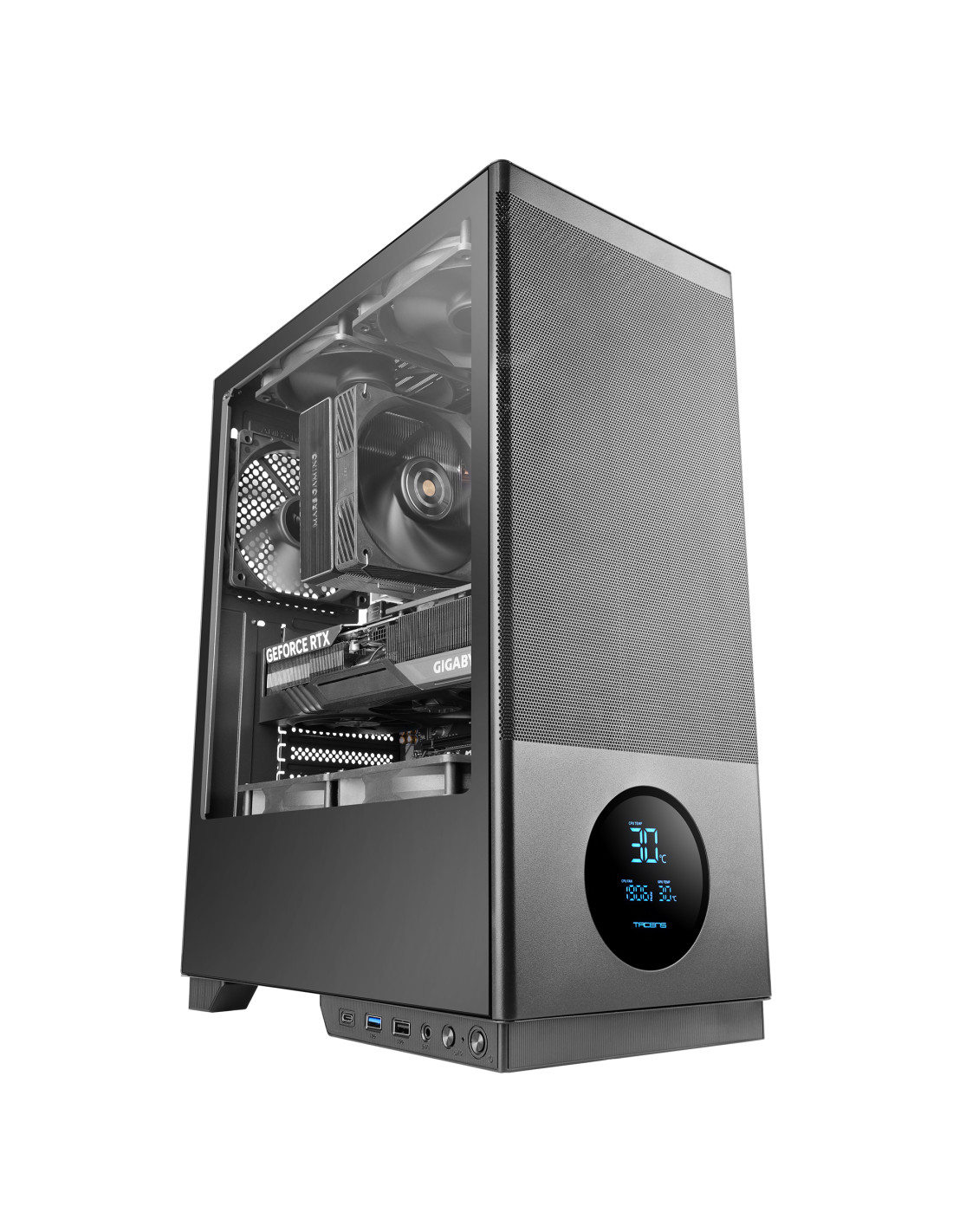
SAGITTA20
| Weight | 3.91Kg |
|---|---|
| Dimensions | 450x190x340mm |
| Size | Mid tower |
| Fan capacity | Top 2x 120mm or 2x 140mm / Bottom 2x 120mm / Rear 1x 120mm |
| Ports | USB3.0 x1 / USB2.0 x1 / USB-C x1 (USB3.0 data transfer speed) / HD Audio + Mic (combined) |
| Power supply support | ATX |
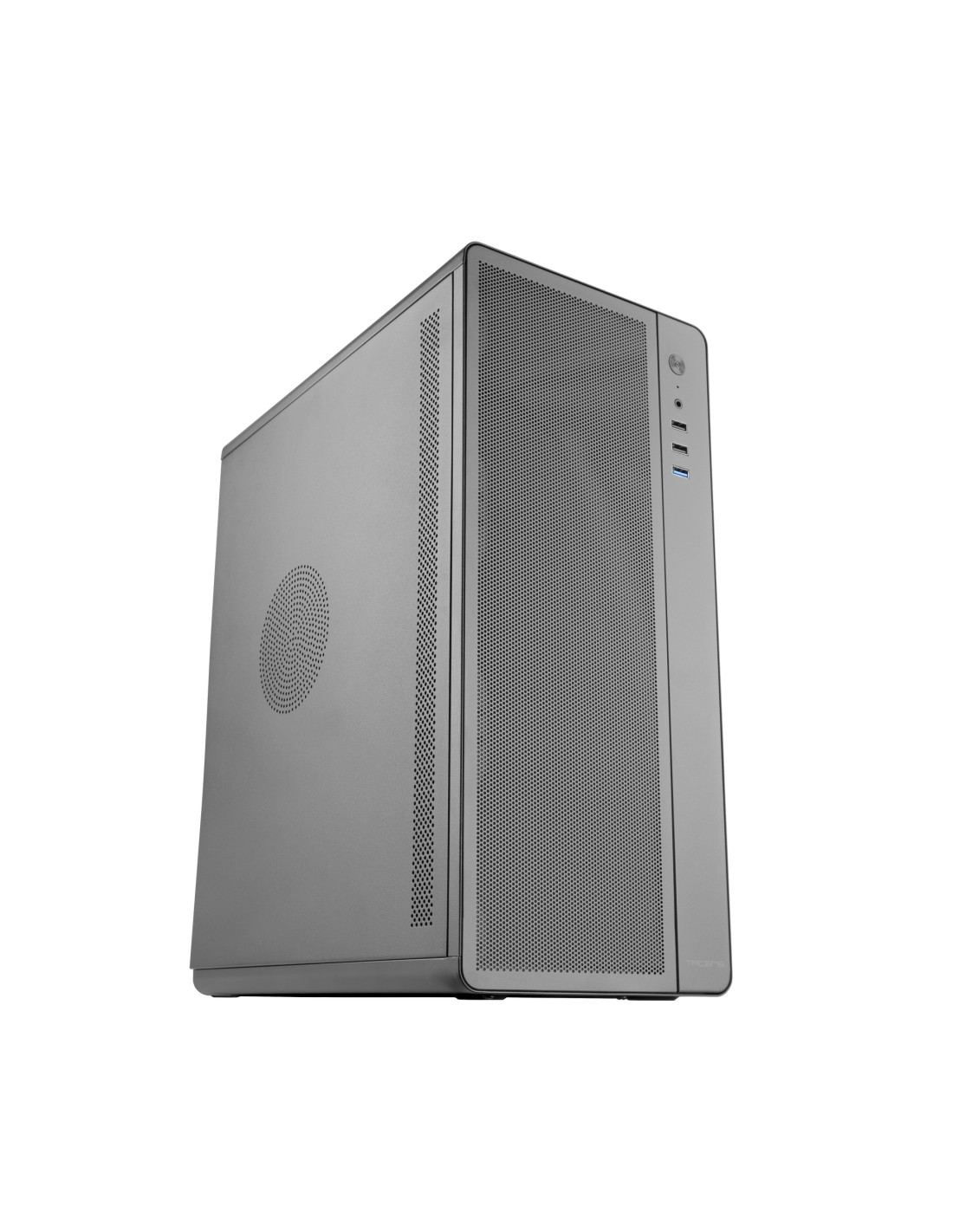
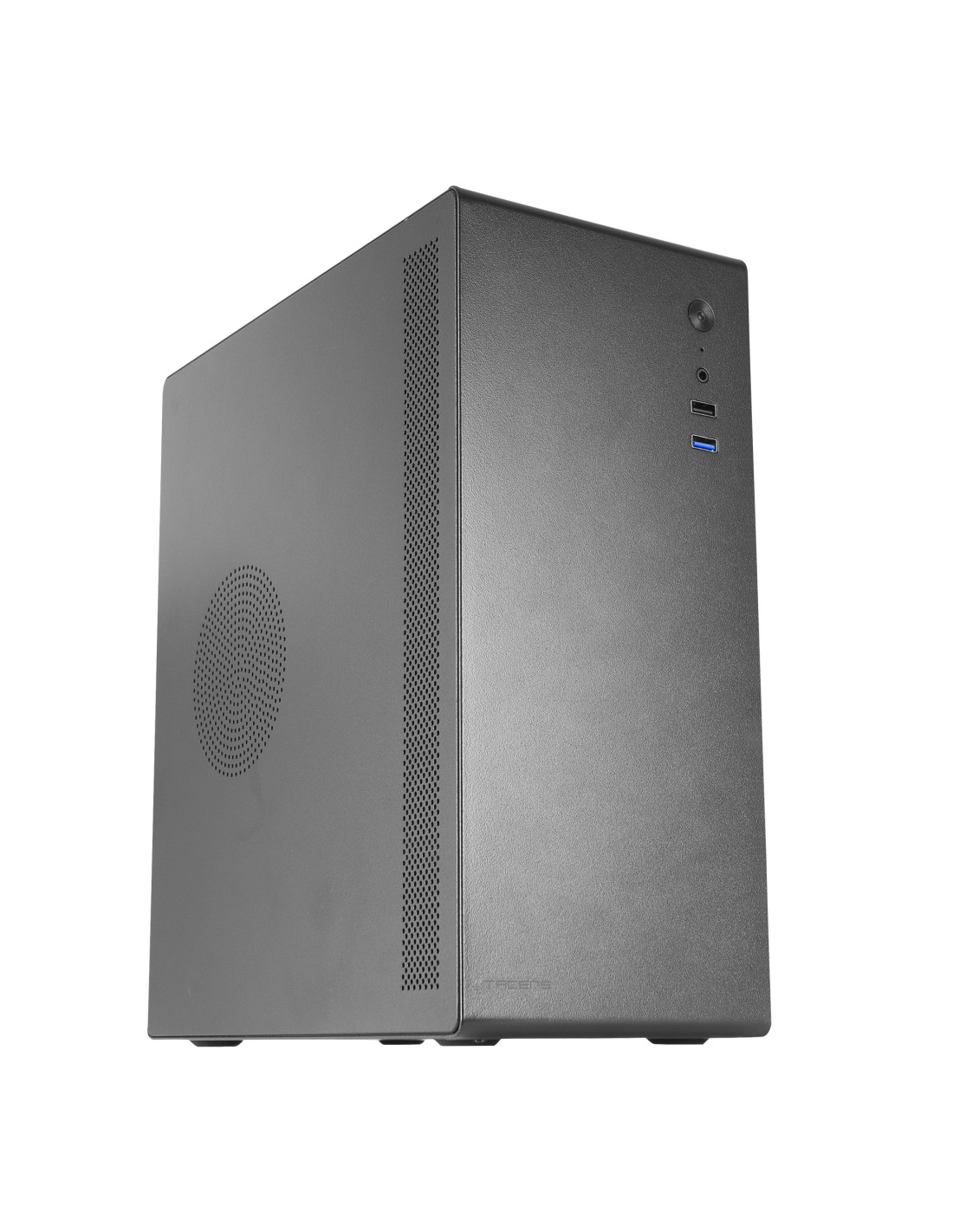
NOVAX550BR
| Weight | 3437g |
|---|---|
| Dimensions | 356x166x275mm |
| Size | Mini tower |
| Fan capacity | Rear: 1x 80mm |
| Ports | USB3.0 x1 / USB2.0 x1 / HD Audio + Mic (combined) |
| Power supply support | ATX |
Frequently asked questions
Is tempered glass quieter than front mesh?
Yes, the tempered glass panel physically blocks the sound waves emitted by the front-facing components towards the user. However, if the internal fans have to run at 100% of their capacity due to lack of air, the overall system noise will increase.
Can radiators be fitted behind a tempered glass front panel?
It can be done if the chassis has side vents at least 20 mm wide and fans with static pressure above 1.8 mmH2O are used. Even so, the coolant temperature will be between 3 °C and 5 °C higher than with a mesh front panel.
How many fans are needed at minimum in a mid tower?
The recommended basic configuration consists of at least 2 120 mm fans: one at the front drawing in fresh air and one at the rear expelling hot air. In high-performance configurations, it is advisable to use 3 front fans and 1 or 2 top exhaust fans.
Final verdict
The best: Front mesh guarantees maximum airflow in CFM with lower rotational speed and reduced temperatures.
The worst: A tempered glass front restricts air intake and requires high static pressure fans to prevent overheating.
Buy it if: You are looking to cool a gaming or workstation PC with consumption above 250 W while prioritising thermal efficiency.
Do not buy it if: You prioritise front acoustic insulation and a display-case aesthetic, in which case a chassis with a tempered glass front and high static pressure fans will suit you better.