
Shopping Cart
There are no more items in your cart
 Español
 English
 Português PT
 Français
 Italiano
 Deutsch
 اللغة العربية
In short: The weight of the chassis directly influences physical stability by lowering the equipment's centre of gravity, and it minimises transmitted noise by absorbing the mechanical vibrations generated by fans and hard drives before they reach the desk.
What does this technical guide contain?
- Why does chassis weight affect noise and vibrations?
- What mechanical factors determine PC stability?
- What technical criteria should you check before buying?
- How to calculate the final weight and noise load of the system?
- Which model suits each usage profile best?
- What are the common mistakes when choosing a case?
- FAQs
- Verdict
Why does chassis weight affect noise and vibrations?
The mass of a case acts as a natural acoustic damper through structural inertia. When a 120 mm fan spins at 1,200 RPM or a 3.5" mechanical drive operates at 7,200 RPM, they generate periodic micro-oscillations. If the structure weighs less than 2,500 g and uses thin steel panels (below 0.5 mm in thickness), the resonant frequency coincides with the motor's rotation and amplifies the sound level by up to 4 dBA measured at the workstation.
Chassis with greater mass dissipate this kinetic energy before it becomes audible noise:
- Mass damping: A case such as the 2SAGITTA20W, with a net weight of 3.91Kg, offers greater resistance to the movement transmitted by 140 mm fans compared with lightweight 2,690 g chassis.
- Contact transmission: Noise in dBA (A-weighted decibels) increases when the rubber feet bear little vertical load, reducing the coefficient of friction against wooden or glass surfaces.
- Airflow pressure: The resistance to airflow, measured in mmH2O (static pressure), generates turbulence against metal grilles. A high-airflow fan (measured in CFM, or cubic feet per minute) needs a rigid frame so that a pressure of 1.5 mmH2O does not flex the front panel.
What mechanical factors determine PC stability?
Stability does not depend solely on total kilograms, but on the distribution of mass and the dimensions of the supporting base. A 450x190x340 mm mid-tower offers a larger footprint than a compact 330x189x380 mm mini-tower, reducing the risk of accidental tipping from USB cable tugs or accumulated vibrations.
Key stability factors:
- Power supply position: Fitting a standard 1.5 kg ATX power supply at the bottom lowers the centre of mass to the lower third of the chassis.
- Chassis width: A width of 193 mm (found on the IMPERATORII) or 190 mm (on the 2SAGITTA20W) provides greater resistance to lateral rocking than narrow 166 mm profiles such as that of the NOVAX550BR.
- Occupied internal bays: Adding two 3.5" HDD units adds roughly 900 g at the front or bottom, altering the overall structural balance.
What technical criteria should you check before buying?
Before selecting a catalogue reference, assess these physical and mechanical parameters:
- Ventilation space: 140 mm fans move greater airflow in CFM at lower revolutions than 120 mm fans, emitting less noise in dBA for the same thermal load. Chassis with mixed support allow you to optimise this ratio.
- Required storage bays: If you use 3.5" mechanical storage, you need a case with at least 2,700 g of structural mass to dampen the magnetic motor's rotation. For 2.5" SSDs (which weigh under 60 g each and have no moving parts), chassis weight is less critical for acoustic noise.
- Portability versus inertia: If the system needs frequent transport, models with an integrated handle such as the FORTISII (2.73Kg) balance portability with sufficient structural rigidity.
- Electrical efficiency and thermal load: Power supplies with Gold certification, such as Tacens' Radix range, operate with greater energy efficiency (>90%), reducing residual heat and the speed required from the system fans.
How to calculate the final weight and noise load of the system?
To predict stability and the total mass on the desk, you must add the empty weight of the case to the main internal components (power supply, motherboard, cooler, graphics card and storage drives).
For example, 3.91 kg + 1.45 kg + 0.65 kg + 0.45 kg = 6.46 kg base weight, and 6.46 kg × 1.05 = 6.78 kg total operating mass once cabling and auxiliary 120 mm fans are added.
This combined mass of nearly 7 kg ensures that the oscillations generated by a rear 120 mm fan running at 80% of its capacity do not produce audible resonances on the desk.
Which model suits each usage profile best?
Below is a comparison of the physical specifications, weight and cooling capacity of the available options:
| Model | Net weight | Dimensions (mm) | Form factor | Cooling capacity | Internal bays |
|---|---|---|---|---|---|
| 2SAGITTA20W | 3.91Kg | 450x190x340 | Mid-tower | Top 2x 120/140mm, Bottom 2x 120mm, Rear 1x 120mm | 1x 3.5" HDD / 2x 2.5" SSD |
| NOVAX550BR | 3437g | 356x166x275 | Mini-tower | Rear 1x 80mm | 2x 3.5" HDD / 2x 2.5" SSD |
| 2AERO | 3.02Kg | 342x186x414 | Mid-tower | Front 3x 120mm, Rear 1x 120mm | 1x 3.5" HDD / 4x 2.5" SSD |
| FORTISII | 2.73Kg | 384x185x320 | Mini-tower | Front 1x 120mm, Rear 1x 120mm | ATX compatible |
| 2AEROM | 2.7Kg | 330x189x380 | Mini-tower | Front 3x 120mm, Rear 1x 120mm | 1x 3.5" HDD / 3x 2.5" SSD |
| IMPERATORII | 2690g | 378x428x193 | Mid-tower | Up to 5x 120mm | 2x 3.5" HDD / 2x 2.5" SSD |
Use cases by profile:
- Priority on silence and thermal flow: The 2SAGITTA20W (3.91Kg) is the right choice for builds seeking minimal resonance, thanks to its support for 140 mm fans at the top, which move more CFM at fewer dBA.
- Office use and mass storage: The 2AERO (3.02Kg) supports up to 4x 2.5" SSDs and 1x 3.5" HDD while maintaining an intermediate weight that isolates the 4 total 120 mm fans.
- Controlled portability: The FORTISII (2.73Kg) integrates a carry handle, making it suitable for frequent moves without dropping below the mechanical stability threshold.
- Compact spaces: The 2AEROM (2.7Kg) optimises volume at 330x189x380 mm while accepting triple 120 mm front cooling.
What are the common mistakes when choosing a case?
- Ignoring fan size: Choosing 80 mm fans instead of 120 mm or 140 mm forces the rotor to spin above 2,000 RPM to match the airflow in CFM, raising noise by around 30% in dBA.
- Confusing airflow with static pressure: Fitting fans designed for high airflow (CFM) against dust filters or dense panels reduces actual flow by up to 50% due to a lack of static pressure in mmH2O.
- Underestimating the mechanical vibrations of HDDs: Fitting 3.5" drives in cases weighing under 2,700 g without rubber dampers turns the side panels into acoustic resonance boxes.
- Neglecting power supply efficiency: Pairing a lightweight case with low-efficiency power supplies raises internal heat, forcing the fans to run continuously at 100% acoustic load. Tacens' Radix range mitigates this problem by keeping thermal losses minimal under Gold certification.
Products mentioned
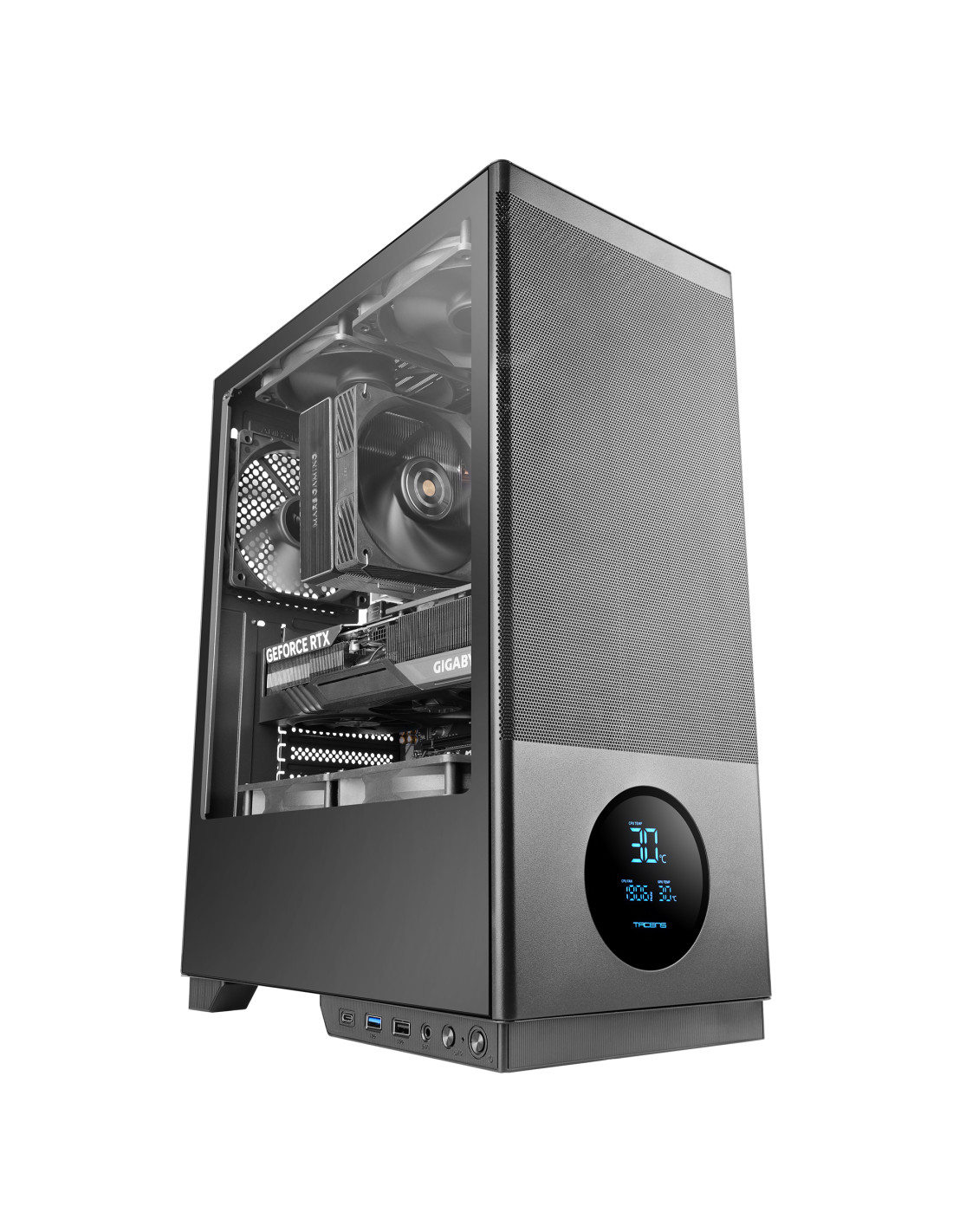
SAGITTA20
| Weight | 3.91Kg |
|---|---|
| Dimensions | 450x190x340mm |
| Size | Mid-tower |
| Fan capacity | Top 2x 120mm or 2x 140mm / Bottom 2x 120mm / Rear 1x 120mm |
| Ports | USB3.0 x1 / USB2.0 x1 / USB-C x1 (USB3.0 data transfer speed) / HD Audio + Mic (combined) |
| Power supply support | ATX |
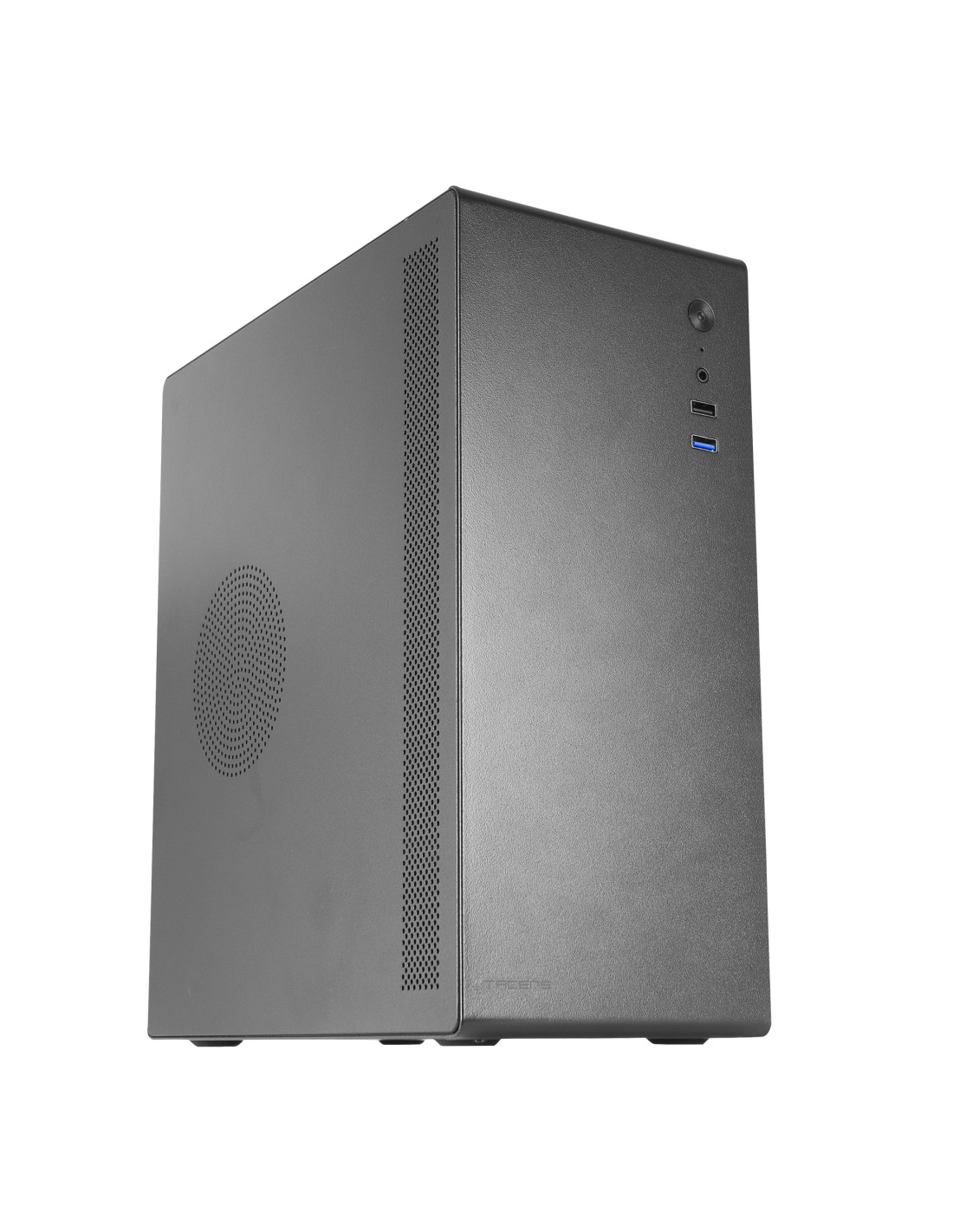
NOVAX550BR
| Weight | 3437g |
|---|---|
| Dimensions | 356x166x275mm |
| Size | Mini-tower |
| Fan capacity | Rear: 1x 80mm |
| Ports | USB3.0 x1 / USB2.0 x1 / HD Audio + Mic (combined) |
| Power supply support | ATX |
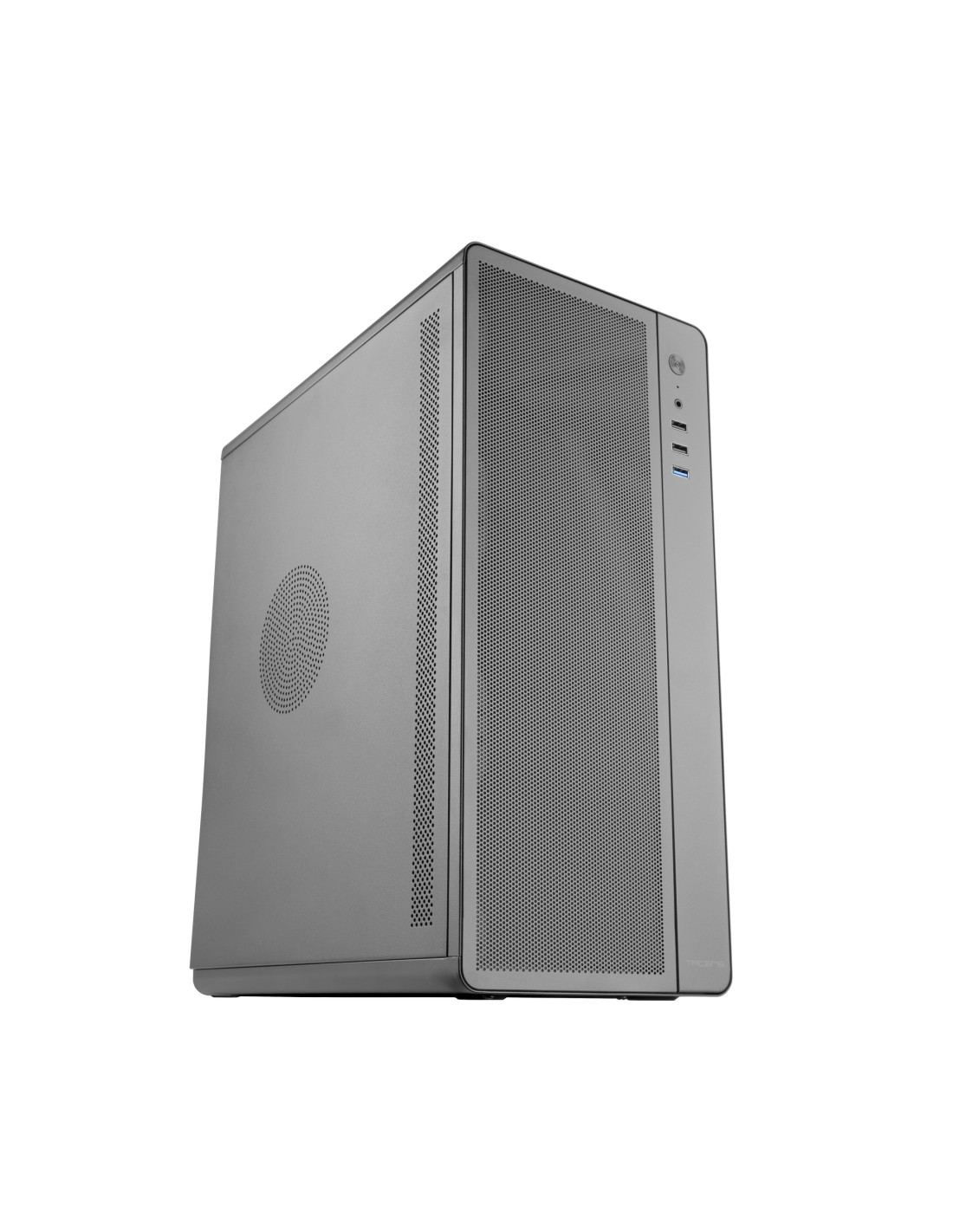
FAQs
Does a chassis over 3.5 kg always reduce computer noise?
The extra mass absorbs low-frequency vibrations, but the final sound level will depend on the rotational speed and diameter of the fans (120 mm or 140 mm). A heavy case with poorly configured fans will still emit noise from air turbulence.
What acoustic difference is there between 120 mm and 140 mm fans?
A 140 mm fan moves the same airflow (CFM) at a lower revolutions-per-minute rate than a 120 mm one. This translates directly into lower sound emissions measured in dBA under the same thermal load.
Does chassis weight matter if I only use 2.5" SSDs?
2.5" SSDs have no motors or moving parts, so they do not generate mechanical oscillations in the structure. In this scenario, chassis weight only influences stability against accidental knocks and the absorption of vibrations from the system fans.
The best: Chassis with a higher net weight (close to 4 kg) noticeably reduce resonance noise and improve stability against mechanical vibrations from fans and drives.
The worst: A heavier case penalises portability and makes handling more awkward during assembly or routine cleaning tasks.
Buy it if: You want to maximise acoustic silence in your workspace and plan to fit 120 mm or 140 mm fans alongside 3.5" mechanical drives.
Don't buy it if: You need to transport your PC frequently to events or between workstations; in that case, a lightweight case under 2.8 kg with an integrated carry handle such as the FORTISII is the better option.