
Shopping Cart
There are no more items in your cart
 Español
 English
 Português PT
 Français
 Italiano
 Deutsch
 اللغة العربية
In short: To check the internal dimensions of a PC case or chassis before buying components, you must cross-check the maximum length for the graphics card (GPU), the maximum CPU cooler height, motherboard form factor compatibility and the depth for the power supply unit (PSU), subtracting the thickness of the front fans from the total available space.
Table of contents
- Which critical clearances determine PC case compatibility?
- How do you calculate the actual space for the graphics card and cooling?
- How much headroom does an air cooler require depending on chassis width?
- How do you verify motherboard, power supply and storage support?
- Which fans does each format support and how does it affect airflow?
- Comparison of chassis dimensions and capacities
- What are the most common mistakes when measuring PC components?
- FAQs about PC internal dimensions
- Verdict
Which critical clearances determine PC case compatibility?
To avoid physical incompatibilities during assembly, you must check four key internal dimensions before purchasing the hardware:
- GPU length (graphics card): Horizontal distance in mm from the rear PCIe slot bracket to the front interior structure or the installed fans.
- Maximum CPU cooler height: Vertical space in mm measured from the processor surface (IHS) to the side panel of the chassis.
- PSU compartment depth: Longitudinal space in mm reserved for the ATX power supply, including the bend radius of the modular cables.
- Top and front space for radiators: Clearance in mm between the edge of the motherboard and the fan mounts so as not to collide with motherboard heatsinks or RAM modules.
How do you calculate the actual space for the graphics card and cooling?
The maximum graphics card length quoted by manufacturers is usually measured without front fans installed. A standard fan adds 25 mm of thickness, while a liquid cooling radiator adds between 27 mm and 30 mm to the overall assembly.
For example, if a chassis such as the 2SAGITTA20W model has an external depth of 450 mm and offers 340 mm of free interior space for the GPU, installing a 25 mm fan and a 27 mm radiator gives us: 340 mm - 25 mm - 27 mm = 288 mm of maximum usable length for the graphics card.
If your graphics card is 300 mm long, it will require a case with at least 320 mm of free clearance without a front radiator to allow proper airflow and to prevent the 8-pin PCIe connectors from being blocked.
How much headroom does an air cooler require depending on chassis width?
The total external width of a mid-tower case usually ranges from 185 mm to 210 mm. From that external figure, between 20 mm and 25 mm must be subtracted for rear cable management and clearance from the motherboard tray.
- Chassis 166 mm wide (such as the NOVAX550BR): These accommodate compact or low-profile coolers with heights below 140 mm.
- Chassis 185 mm to 193 mm wide (such as IMPERATORII or FORTISII): These house standard tower coolers up to 150 mm or 155 mm tall.
- Chassis over 200 mm wide: Compatible with dual-tower coolers of 160 mm to 165 mm.
How do you verify motherboard, power supply and storage support?
The motherboard form factor determines the internal layout of the bays for 3.5" and 2.5" storage drives and the type of power supply supported.
- ATX power supplies: Most cases aimed at standard users, such as the Tacens options, accept ATX form factor units or ATX PS/2 and ATX PS/3 standards. It is advisable to pair them with efficient models such as the Radix range with Gold certification to keep power draw in check and reduce residual heat build-up inside the chassis.
- Internal drive bays:
- 2AEROM: Capacity for 1x 3.5" HDD and 3x 2.5" SSD drives.
- 2AERO: Supports 1x 3.5" HDD and 4x 2.5" SSDs.
- IMPERATORII and NOVAX550BR: Layout of 2x 3.5" HDDs alongside 2x 2.5" SSDs.
- 2SAGITTA20W: Houses 1x 3.5" HDD and 2x 2.5" SSDs.
Which fans does each format support and how does it affect airflow?
The size and type of fan defines both the airflow and the internal pressure within the PC case:
- 120 mm fans: These are the most widespread standard. They offer an ideal balance between airflow measured in CFM (cubic feet per minute) and acoustic noise level in dBA.
- 140 mm fans: They move more air at lower revolutions per minute than a 120 mm fan, generating less noise at equal CFM.
- Static pressure (mmH2O): An essential parameter if the airflow must pass through dense dust filters or radiator fins. Airflow (CFM) and static pressure (mmH2O) are not interchangeable; a high-airflow fan may perform poorly against the restriction of a radiator.
Comparison table of chassis dimensions and capacities
| Model | Dimensions (mm) | Weight | Format | Fan capacity | Internal bays |
|---|---|---|---|---|---|
| NOVAX550BR | 356 × 166 × 275 mm | 3437 g | Mini-tower | Rear: 1x 80 mm | 2x 3.5" HDD + 2x 2.5" SSD |
| 2AEROM | 330 × 189 × 380 mm | 2.7 kg | Small tower | Front: 3x 120 mm / Rear: 1x 120 mm | 1x 3.5" HDD + 3x 2.5" SSD |
| FORTISII | 384 × 185 × 320 mm | 2.73 kg | Mini-tower | Front: 1x 120 mm / Rear: 1x 120 mm | Standard ATX support |
| 2AERO | 342 × 186 × 414 mm | 3.02 kg | Mid-tower | Front: 3x 120 mm / Rear: 1x 120 mm | 1x 3.5" HDD + 4x 2.5" SSD |
| IMPERATORII | 378 × 428 × 193 mm | 2690 g | Mid-tower | Up to 5x 120 mm | 2x 3.5" HDD + 2x 2.5" SSD |
| 2SAGITTA20W | 450 × 190 × 340 mm | 3.91 kg | Mid-tower | Top: 2x 120/140 mm / Bottom: 2x 120 mm / Rear: 1x 120 mm | 1x 3.5" HDD + 2x 2.5" SSD |
What are the most common mistakes when measuring PC components?
- Forgetting the thickness of the GPU power connectors: A 12VHPWR or 8-pin PCIe connector adds between 20 mm and 30 mm of lateral overhang that can clash with the glass or metal panel.
- Not accounting for a top radiator versus RAM height: A radiator with fans adds a typical thickness of 52 mm to 55 mm; if the motherboard does not have enough clearance from the roof of the case, it will collide with RAM heatsinks taller than 40 mm.
- Confusing external dimensions with usable internal space: A case with an external depth of 356 mm (such as the NOVAX550BR) does not offer 356 mm for components, since the front panel and rear structure subtract between 30 mm and 50 mm from the net space.
Products mentioned
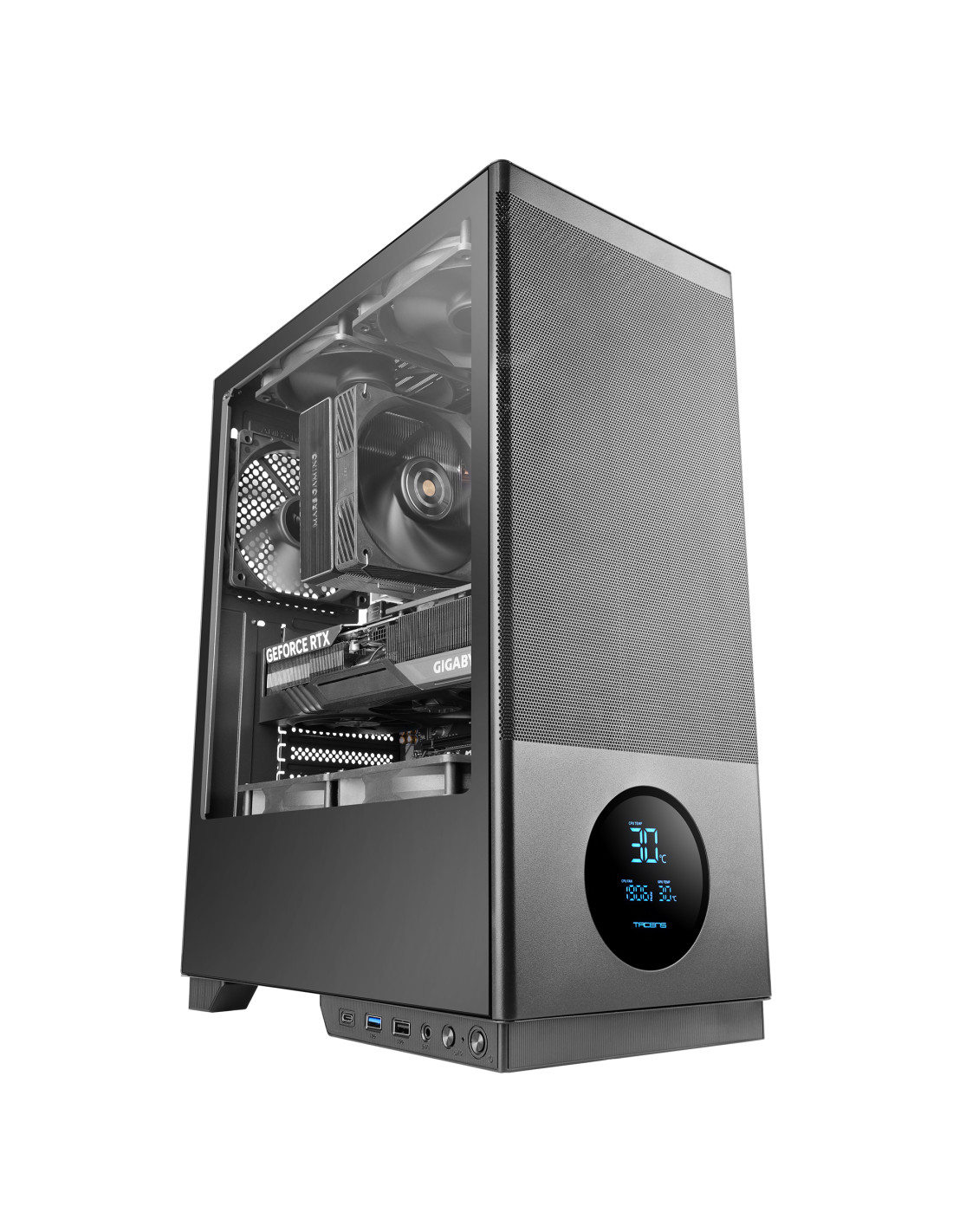
SAGITTA20
| Weight | 3.91Kg |
|---|---|
| Dimensions | 450x190x340mm |
| Size | Mid-tower |
| Fan capacity | Top 2x 120mm or 2x 140mm / Bottom 2x 120mm / Rear 1x 120mm |
| Ports | USB3.0 x1 / USB2.0 x1 / USB-C x1 (USB3.0 data transfer speed) / HD Audio + Mic (combined) |
| Power supply support | ATX |
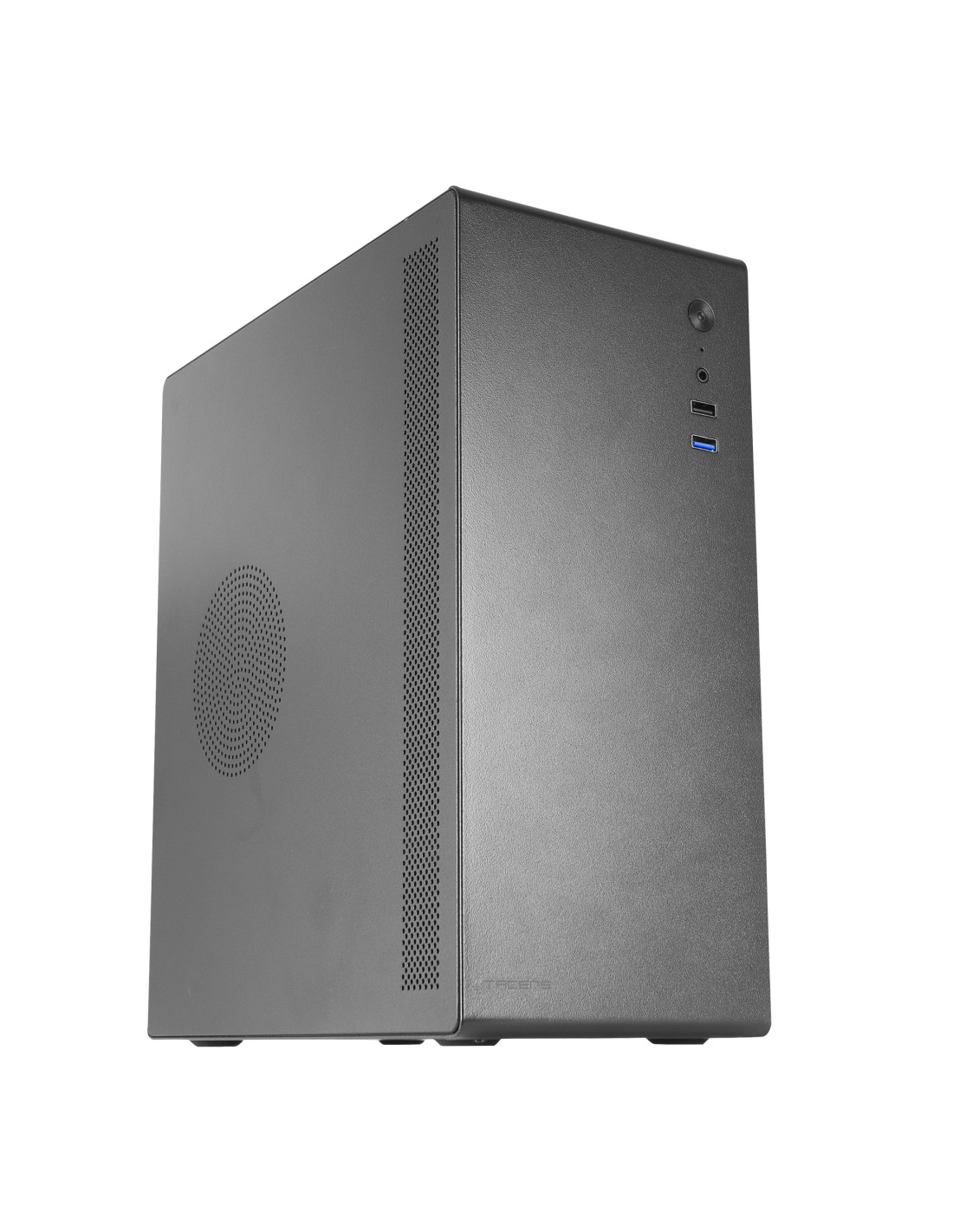
NOVAX550BR
| Weight | 3437g |
|---|---|
| Dimensions | 356x166x275mm |
| Size | Mini-tower |
| Fan capacity | Rear: 1x 80mm |
| Ports | USB3.0 x1 / USB2.0 x1 / HD Audio + Mic (combined) |
| Power supply support | ATX |
FAQs about PC case dimensions
How much free space should there be between the graphics card and the front panel?
It is recommended to leave a minimum margin of 20 mm to 30 mm between the end of the graphics card and the front structure or fans. This space ensures that the flow of fresh air is not obstructed and makes cable connection easier.
Can a 140 mm fan be fitted to any 120 mm mount?
No, because the mounting holes of a 140 mm fan are spaced 125 mm apart, compared with 105 mm on a 120 mm fan. Only cases with dual perforations, such as the top positions of the 2SAGITTA20W model, support both diameters.
How much clearance does the power supply need for cabling?
It is advisable to have at least 30 mm to 40 mm of extra space beyond the length of the ATX power supply. This space prevents forced bends in the cable harnesses and protects the modular connectors from mechanical strain.
The best: It allows you to verify the exact physical compatibility of the GPU, cooler and fans before buying, avoiding returns and assembly incompatibilities.
The worst: The external catalogue specifications do not reflect the space taken up by radiators or power connectors without doing manual calculations.
Buy it if: You want to plan a well-balanced build and make sure every component fits in specific chassis according to their internal dimensions.
Don't buy it if: You are going to assemble a pre-built or compact proprietary-format system where the parts come pre-installed and tailored by the manufacturer.