
Shopping Cart
There are no more items in your cart
 Español
 English
 Português PT
 Français
 Italiano
 Deutsch
 اللغة العربية
In short: To control the lighting of a case when the motherboard has no RGB header, you must use an external RGB/ARGB controller powered by a SATA or Molex connector from the power supply, which manages the lighting effects by means of a physical button on the chassis, a radio-frequency (RF) remote control or a 9-pin internal USB 2.0 header via software.
Table of contents
- What options are there if the motherboard lacks RGB or ARGB headers?
- What technical differences are there between 12 V RGB and 5 V ARGB?
- Comparison: lighting control methods without a dedicated port
- How do you calculate the power supply and compatibility of the fans?
- Case selection and airflow according to the ventilation format
- What are the most common mistakes when installing lighting without motherboard support?
- Frequently asked questions about lighting and cooling
- Final verdict
What options are there if the motherboard lacks RGB or ARGB headers?
A lighting header on a motherboard is a physical pin connection intended to carry colour data and voltage to LED strips or fans. When the motherboard does not include these ports (common on entry-level or office-format boards), lighting management must be handled independently of the motherboard using three main methods:
- Manual button controllers (SATA to Reset button): Small devices that receive 5 V or 12 V directly from the power supply and connect to the 2-pin connector of the case's Reset button to cycle through pre-programmed colour sequences.
- Standalone controllers with remote control (RF): Hubs powered by a 15-pin SATA connector that allow you to vary speed, modes and light intensity without relying on external cables or software.
- Digital internal USB 2.0 controllers: Modules that plug into a 9-pin internal USB header on the motherboard, allowing control by dedicated software from the operating system via the USB data bus.
What technical differences are there between 12 V RGB and 5 V ARGB?
The standard RGB system (non-addressable) uses a 4-pin connection that operates at a continuous voltage of 12 V with one pin for each colour channel (12V, G, R, B). All the LED diodes connected to this line display exactly the same colour at the same time.
The ARGB system (Addressable RGB) operates at 5 V through a 3-pin connector (5V, Data, Ground, with a blank space in between). In this system, each LED diode has an integrated microchip that reads a serial data signal at 800 kHz, which allows the colour and brightness of each LED to be controlled individually to create gradient effects and complex transitions.
Connecting a 5 V ARGB component to a 12 V RGB socket destroys the LED diodes instantly through overvoltage, as it receives 140 % more voltage than its integrated circuit can tolerate.
Comparison: lighting control methods without a dedicated port
| Control method | Input voltage | Power interface | Typical capacity | Adjustment method | Compatibility |
|---|---|---|---|---|---|
| SATA controller to Reset button | 5 V (ARGB) or 12 V (RGB) | SATA 15 pins (up to 4,5 A) | 4 to 6 devices | Physical front button | Universal |
| RF controller with remote | 5 V / 12 V | SATA 15 pins / Molex 4 pins | 6 to 10 devices | 433 MHz remote control | Universal |
| Internal USB module | 5 V (USB VBUS + SATA) | USB 2.0 (9 pins) + SATA | 4 to 8 channels | Software on Windows | Requires a free internal USB header |
| Passive splitter without control | 12 V | Direct Molex | 1 to 3 fans | Fixed / Unchangeable | Universal |
How do you calculate the power supply and compatibility of the fans?
Standalone controllers draw power directly from the 5 V or 12 V line of the power supply through a SATA connector, which offers a safe limit of 4,5 A per line. To avoid voltage drops or overheating of the wiring, you must add up the amperage of the fan motor and that of the diode strip.
For example, 5 V × 2 A = 10 W, and if an ARGB fan draws 0,35 A at 5 V for its lighting and 0,15 A at 12 V for its motor: 6 fans × 0,35 A = 2,1 A on the 5 V line, and 2,1 A × 5 V = 10,5 W of total lighting consumption, comfortably below the 4,5 A limit of the SATA connector.
To guarantee stability in systems with multiple components and additional lighting, the use of power supplies with high energy efficiency is recommended, such as the Tacens Radix range, which carries 80 PLUS Gold certification to keep voltage regulation within the ±3 % margin on the 12 V, 5 V and 3,3 V lines.
Case selection and airflow according to the ventilation format
Lighting control is usually integrated into the computer case. When choosing a case, you should consider compatibility with fan sizes and thermal performance:
- 120 mm fans: The most widespread standard. It offers an operational balance with common noise levels between 18 dBA and 28 dBA, generating typical airflow rates of 35 CFM to 55 CFM.
- 140 mm fans: They move more airflow (CFM) at fewer revolutions per minute than a 120 mm fan, so they tend to be quieter at the same airflow and offer superior acoustic performance.
- Airflow versus Static pressure: Airflow (measured in CFM) represents the volume of air moved. Static pressure (measured in mmH2O) measures the force with which the air pushes against obstacles. A fan with 60 CFM but only 0,8 mmH2O will perform poorly against dense dust filters or radiators, where values above 1,5 mmH2O are required.
Case options according to capacity and format
- 2SAGITTA20W: Mid-tower weighing 3,91 kg with dimensions of 450x190x340 mm. It accepts 2x 120 mm or 2x 140 mm at the top, 2x 120 mm at the bottom and 1x 120 mm at the rear. It includes a panel with USB 3.0 x1, USB 2.0 x1, USB-C x1 and bays for 1x 3.5" HDD and 2x 2.5" SSD.
- IMPERATORII: Mid-tower of 2690 g with measurements of 378x428x193 mm. It supports up to 5x 120 mm, compatibility with ATX PS/3 and ATX PS/2 power supplies, 2x 3.5" HDD bays and 2x 2.5" SSD bays.
- 2AERO: Mid-tower weighing 3,02 kg with dimensions of 342x186x414 mm. It allows 3x 120 mm at the front and 1x 120 mm at the rear to be fitted, with space for 1x 3.5" HDD and 4x 2.5" SSD.
- 2AEROM: Compact mini-tower of 2,7 kg with measurements of 330x189x380 mm. It supports 3x 120 mm at the front and 1x 120 mm at the rear, with bays for 1x 3.5" HDD and 3x 2.5" SSD.
- FORTISII: Mini-tower of 2,73 kg with dimensions of 384x185x320 mm. It incorporates a carrying handle and support for 1x 120 mm at the front and 1x 120 mm at the rear.
- NOVAX550BR: Mini-tower of 3437 g with dimensions of 356x166x275 mm and rear ventilation compatible with 1x 80 mm.
What are the most common mistakes when installing lighting without motherboard support?
- Forcing 3-pin connectors into 4-pin sockets: Trying to jam a 5 V ARGB connector into a 12 V RGB socket by bending a pin will short-circuit the component and cause permanent damage to the LEDs.
- Overloading a single SATA port with too many splitters: Connecting more than 8 120 mm fans with lighting to a single SATA line can exceed the 4,5 A of the 5 V rail, causing brightness drops or heating of the cable.
- Confusing the motor power connector with the lighting one: The 4-pin PWM or 3-pin DC cable powers only the rotation of the motor (12 V). The lighting cable (RGB/ARGB) runs separately.
- Leaving the Reset button cable loose: If the tower's Reset button is used as a colour selector, the cable labelled
RESET SWmust be disconnected from the motherboard's front panel header and connected directly to the 2-pin input of the controller.
Products mentioned
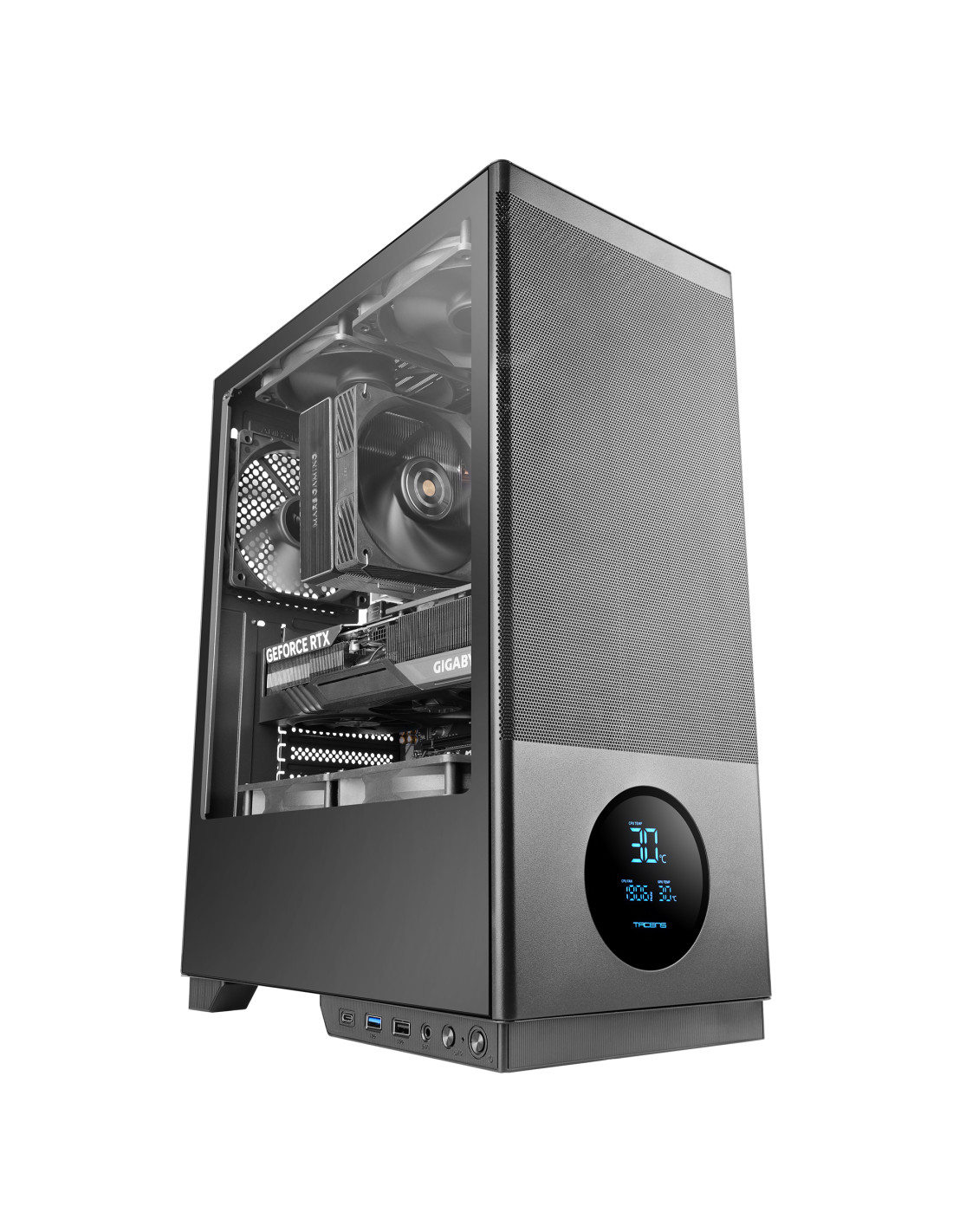
SAGITTA20
| Weight | 3.91Kg |
|---|---|
| Dimensions | 450x190x340mm |
| Size | Mid-tower |
| Fan capacity | Top 2x 120mm or 2x 140mm / Bottom 2x 120mm / Rear 1x 120mm |
| Ports | USB3.0 x1 / USB2.0 x1 / USB-C x1 (USB3.0 data transfer speed) / HD Audio + Mic (mixed) |
| Power supply support | ATX |
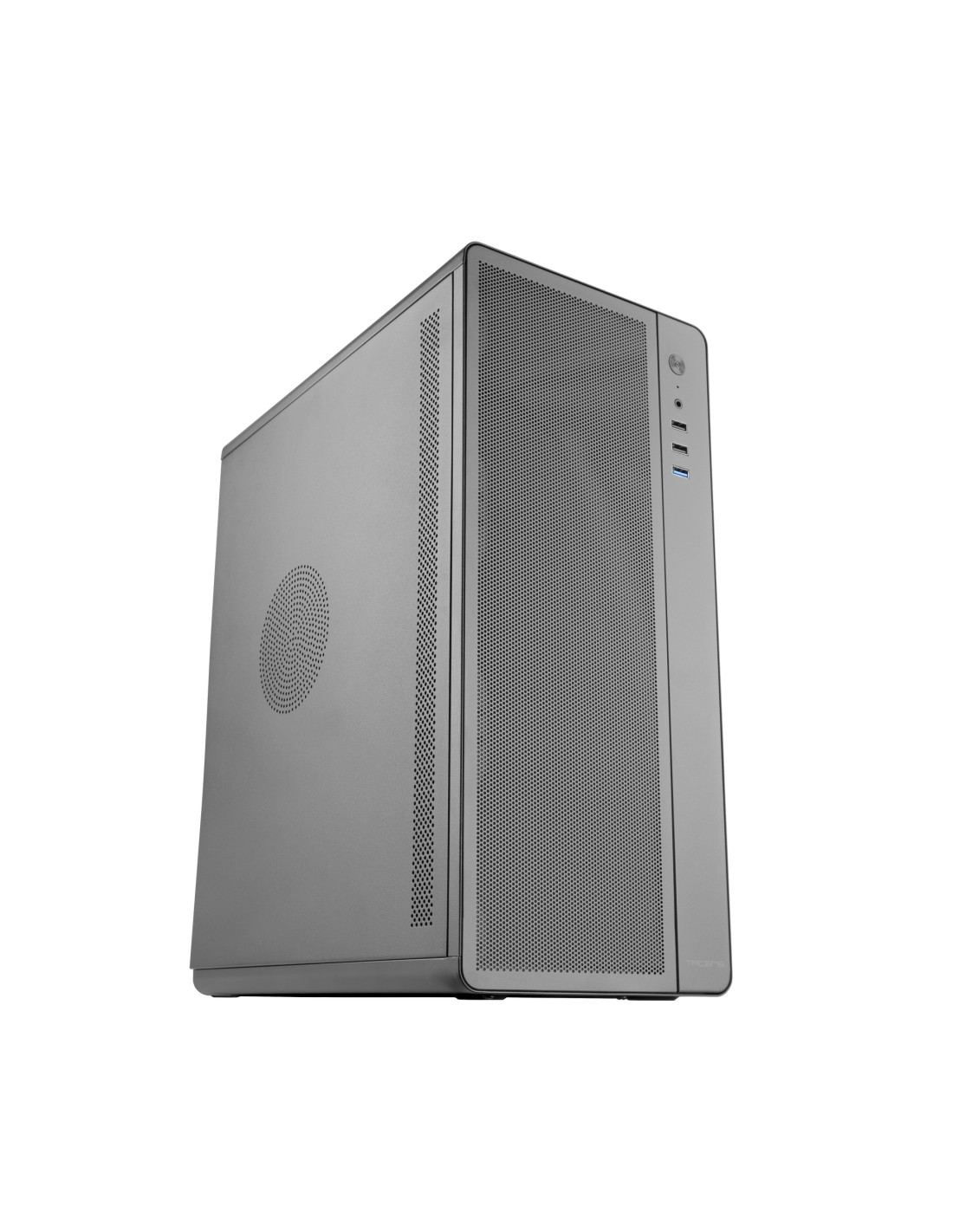
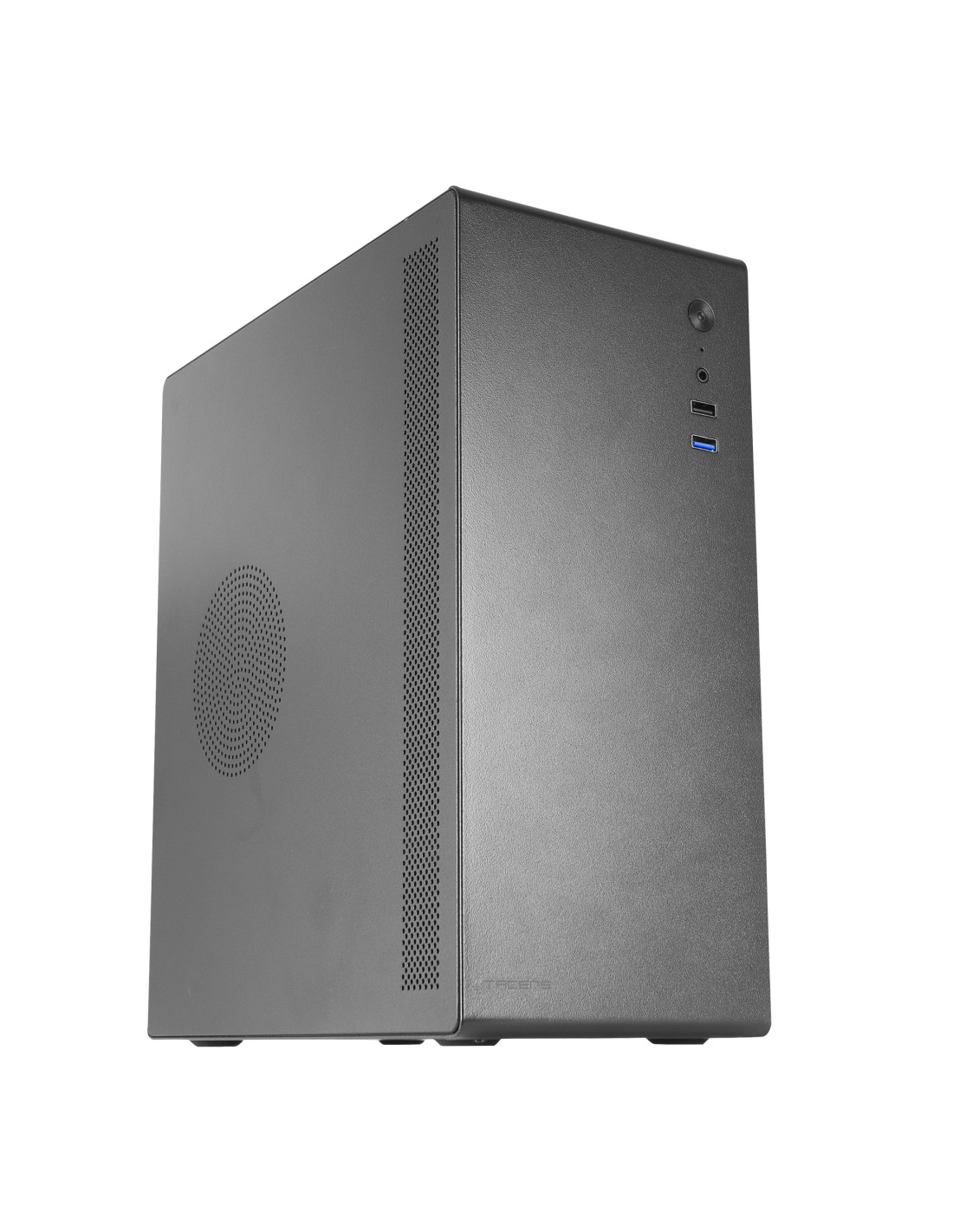
NOVAX550BR
| Weight | 3437g |
|---|---|
| Dimensions | 356x166x275mm |
| Size | Mini-tower |
| Fan capacity | Rear: 1x 80mm |
| Ports | USB3.0 x1 / USB2.0 x1 / HD Audio + Mic (mixed) |
| Power supply support | ATX |
Frequently asked questions
Can I sync the lights to music if I have no RGB connector on the motherboard?
Yes, there are standalone radio-frequency (RF) controllers that incorporate a microphone into their own housing. This sensor picks up the ambient sound of the room and modulates the 5 V ARGB signal to the acoustic rhythm without the need for software.
What happens if I connect the case's Reset SW cable to the controller?
When the RESET SW connector is plugged into the controller, the physical button on the case stops restarting the computer and instead acts as a light mode switch. If you wish to keep the operating system restart function, you will need to use a remote control or a dedicated auxiliary button.
Can 120 mm and 140 mm fans be mixed on the same controller?
Yes, provided they all share the same voltage standard (for example, all 3-pin 5 V ARGB). The physical dimensions of 120 mm or 140 mm and their airflow rates in CFM do not alter the digital protocol or the electrical compatibility of the LED system.
The best: It allows customisable ARGB lighting to be integrated into any older or basic system without changing the motherboard.
The worst: It requires additional cabling at the rear of the case, and unified synchronisation with the system's peripherals is lost.
Buy it if: Your motherboard lacks 3-pin (5 V) or 4-pin (12 V) ports and you want to manage the look of your fans.
Don't buy it if: Your motherboard already has native 5 V ARGB headers, in which case direct synchronisation via the BIOS or motherboard software is preferable.