
Shopping Cart
There are no more items in your cart
 Español
 English
 Português PT
 Français
 Italiano
 Deutsch
 اللغة العربية
In a nutshell: Air cooling is the recommended option for processors with a power draw below 150 W thanks to its reliability and contained cost, whereas liquid cooling (AIO) is necessary to dissipate thermal loads above 200 W during extended gaming or rendering sessions.
Table of contents
- What technical criteria define thermal performance?
- Air or liquid cooling: what real differences are there?
- How do airflow and static pressure affect radiators and heatsinks?
- When is each system the right choice based on wattage?
- Ventilation and airflow components from the Tacens catalogue
- What are the most common mistakes when installing cooling?
- FAQs about gaming cooling
- Comparative verdict
What technical criteria define thermal performance?
The performance of a cooling system depends not on aesthetics but on quantifiable physical magnitudes:
- Thermal dissipation (TDP): Measured in watts (W), it defines the amount of heat the system can transfer away from the CPU package before it reaches critical temperatures of 90 °C or 95 °C.
- Airflow (CFM): Cubic feet per minute moved by a fan. A high airflow renews the air inside the chassis quickly.
- Static pressure (mmH2O): The fan's ability to push air through dense restrictions, such as narrow aluminium fins or liquid cooling radiators.
- Noise level (dBA): Weighted acoustic pressure. A quiet fan operates below 20 dBA, whereas high-performance models reach over 35 dBA at 2000 RPM.
- Physical space: Dual-tower heatsinks require between 155 mm and 165 mm of clearance inside the case; liquid radiators require bays for 120 mm, 240 mm, 280 mm or 360 mm formats.
Air or liquid cooling: what real differences are there?
The fundamental difference lies in the transfer medium: air cooling uses copper heatpipes that transfer heat through a phase change to aluminium fins, while liquid cooling uses a pump that drives coolant towards an external radiator.
| Criterion | Air cooling | Liquid cooling (AIO) |
|---|---|---|
| Typical dissipation capacity | Up to 180 W (dual tower) | 200 W to over 300 W (240 mm / 360 mm) |
| Noise level at idle | 12 dBA - 18 dBA (fans only) | 18 dBA - 25 dBA (pump + fans) |
| Estimated average lifespan | 8 to 10 years (no critical mechanical parts) | 4 to 6 years (pump wear and evaporation) |
| Required maintenance | Dust cleaning every 6 months | Dust cleaning and pump inspection |
| Risk of internal leakage | 0% (dry design) | Low, but not zero (< 1%) |
| Mechanical failure points | 1 or 2 fan motors | Water pump + 2 or 3 fans |
| Space compromised | Height above the socket (150 mm - 165 mm) | Roof/front space (radiator of 27 mm to 38 mm + 25 mm fan) |
How do airflow and static pressure affect radiators and heatsinks?
Airflow and static pressure are not interchangeable magnitudes:
- For standard air heatsinks: A balance between airflow and pressure is prioritised. A 120 mm fan delivering 45 CFM to 50 CFM at 1200 RPM with 1.2 mmH2O is sufficient for fin blocks of low or medium density.
- For liquid cooling radiators: The fins have densities of 18 to 22 FPI (fins per inch). A fan with less than 1.4 mmH2O loses up to 40% of its actual flow when it hits the radiator's resistance.
- For case ventilation: Net airflow is sought to bring in fresh air or extract hot air without direct obstructions.
When is each system the right choice based on wattage?
The CPU's actual power draw during continuous gaming determines the choice:
- CPUs of 65 W to 105 W (mid-range gaming): A 120 mm air heatsink keeps temperatures stable between 60 °C and 72 °C with a fan power draw below 3 W.
- CPUs of 120 W to 170 W (upper mid-range): A dual-tower air heatsink with 2 fans or a 240 mm liquid cooler offer similar performance, hovering around 70 °C to 78 °C under continuous load.
- CPUs above 200 W (high-end and overclocking): A 280 mm or 360 mm liquid cooler is essential to avoid thermal throttling when temperatures exceed 85 °C.
The overall power draw of the system also affects internal heat dissipation: "125 W CPU + 220 W GPU + 45 W motherboard and drives = 390 W of residual heat inside the chassis". If those 390 W are not extracted with suitable case fans, the internal temperature rises between 8 °C and 12 °C above ambient temperature.
Ventilation and airflow components from the Tacens catalogue
To maintain internal airflow circulation in air or liquid configurations, Tacens offers specific ventilation solutions depending on the chassis dimensions:
- Tacens AF12: 120x120x25 mm fan weighing 120 g, with a speed of 1200 RPM (+10%), airflow of 48.12 CFM and 9 blades. It delivers a static pressure of 1.47 mmH2O with a noise level of 14 dBA and a current draw of 0.15 A, suitable both for cases and for heatsinks that need to overcome air restrictions.
- Tacens AURAII12: 120x120x25 mm unit weighing 5.98 g, with a speed of 1200 RPM, 7 blades and an optimised airflow of 50 CFM for direct extraction in gaming cases.
- Tacens AURAII9 / R3AURAII9: 90x90x25 mm format weighing 9.89 g, with a speed of 1350 RPM, 7 blades and an airflow of 33 CFM for compact cases.
- Tacens AF8: Compact 80x80x25 mm fan weighing 60 g, with a speed of 1800 RPM (+10%), airflow of 30.5 CFM, 7 blades, pressure of 1.25 mmH2O, current draw of 0.12 A and a contained noise level of 14 dBA.
- Tacens AURAII8: 80x80x25 mm format, weighing 2.64 g, with a speed of 1500 RPM, 7 blades and 25 CFM for small cases.
- Efficient power supply (Radix range): System heat also depends on the efficiency of the power supply. The Radix range holds 80 PLUS Gold certification administered by CLEAResult, reducing thermal waste inside the tower by keeping electrical losses below 10% at medium loads.
What are the most common mistakes when installing cooling?
- Choosing 120 mm liquid cooling: A single 120 mm radiator performs worse than a standard 120 mm air heatsink and adds the constant noise of the pump at 2000 RPM or more.
- Mistaking mandatory markings for quality: CE marking and the RoHS directive are mandatory legal requirements for selling products in the European Union. They do not certify thermal quality or performance; voluntary certifications such as 80 PLUS or Cybenetics do assess efficiency and noise parameters.
- Fitting high-airflow, low-pressure fans on radiators: A fan with 60 CFM but less than 0.9 mmH2O disperses air around the sides of the radiator without penetrating the metal matrix.
- Installing the radiator at the bottom of the case: This causes air trapped in the loop to travel to the pump in the CPU block, generating cavitation noise and reducing the pump's lifespan by more than 50%.
- Not checking RAM clearance: Large air heatsinks with 140 mm fans often block DIMM slots on modules taller than 40 mm.
Products mentioned
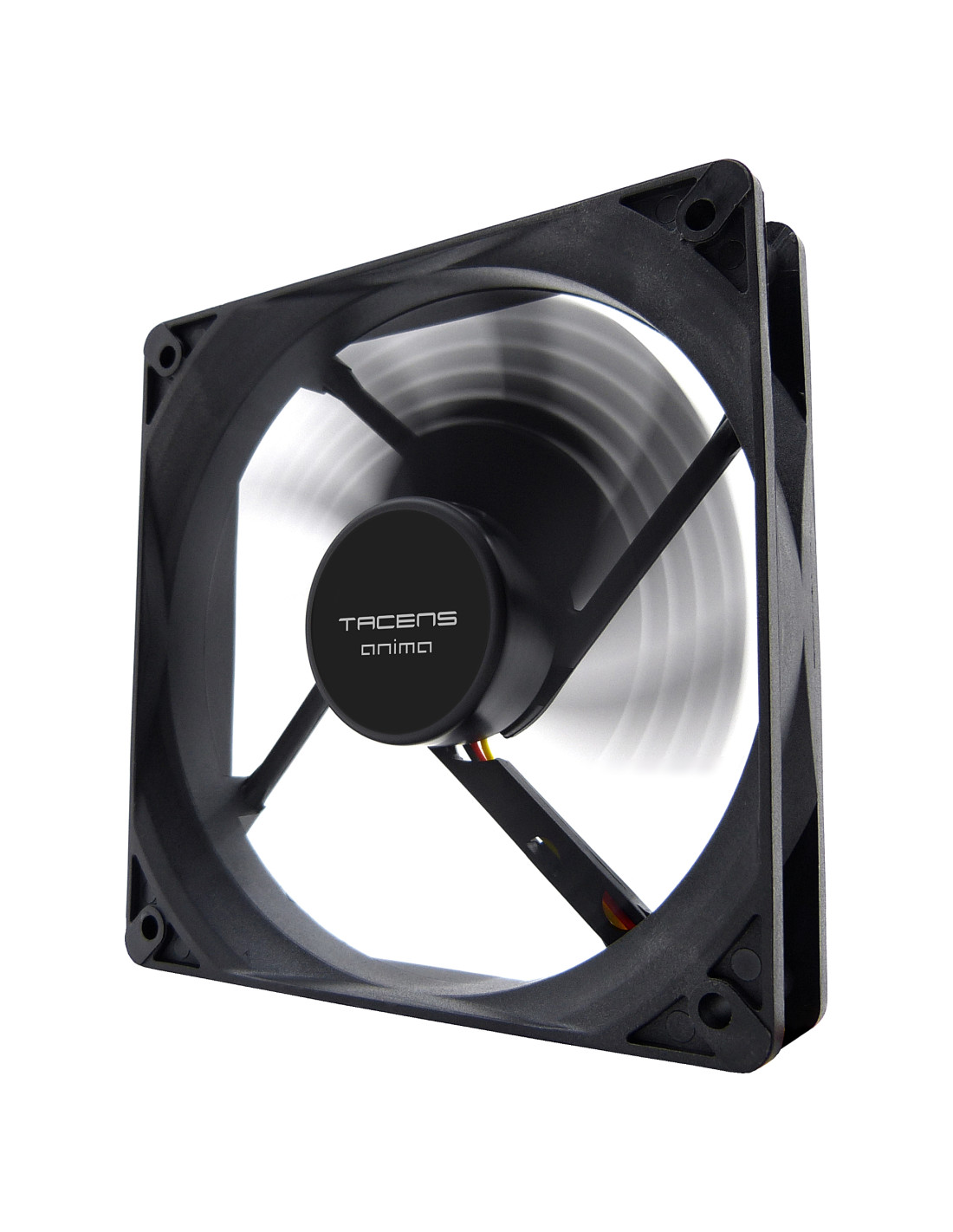
AF12
| Weight | 120g |
|---|---|
| Dimensions | 120x120x25mm |
| Speed | 1200 RPM +10% |
| Airflow | 48.12CFM |
| No. of blades | 9 |
| Noise | 14dBA |
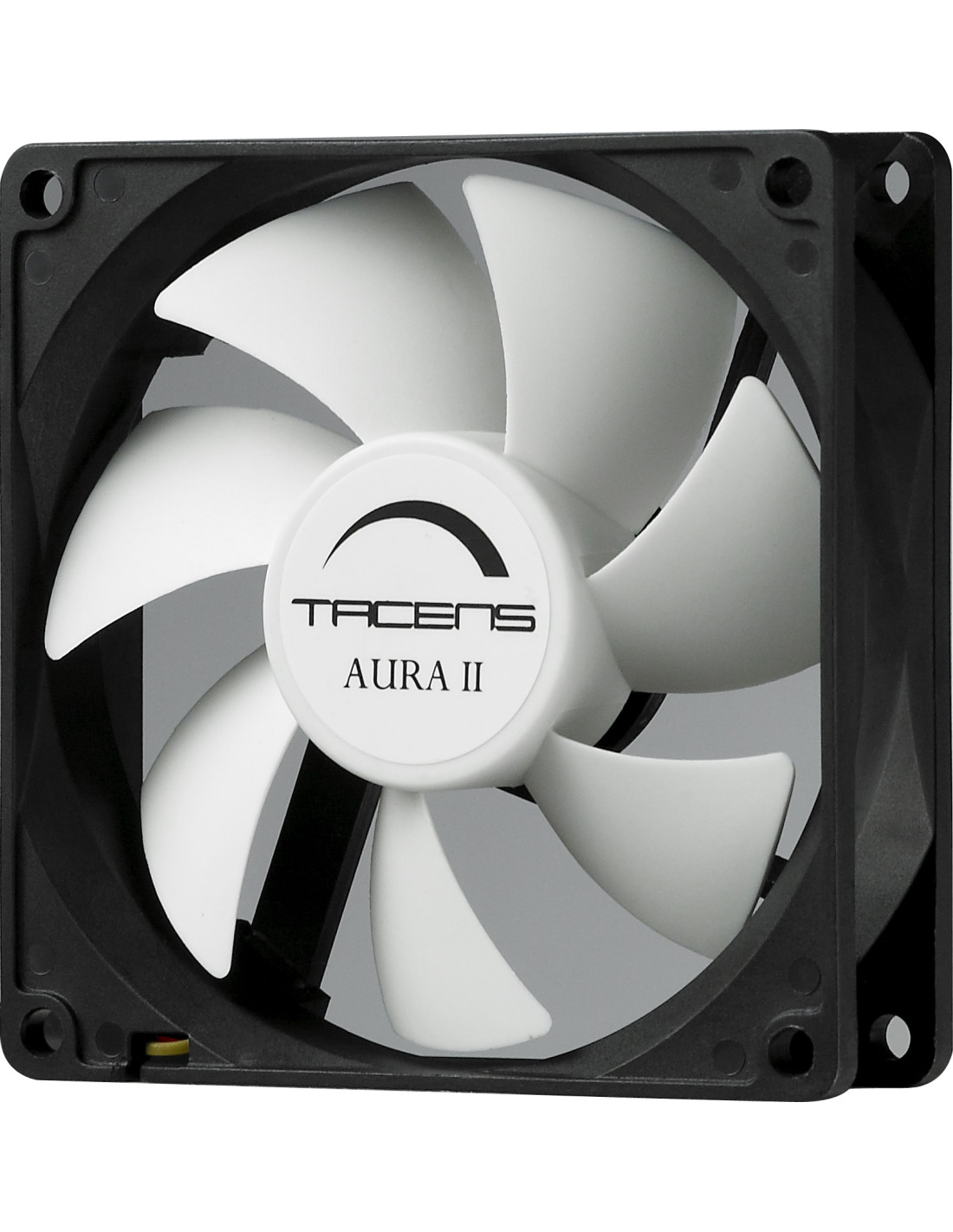
AURAII12
| Weight | 5g 98 |
|---|---|
| Dimensions | 120x120x25mm |
| Speed | 1200 RPM |
| Airflow | 50CFM |
| No. of blades | 7 |
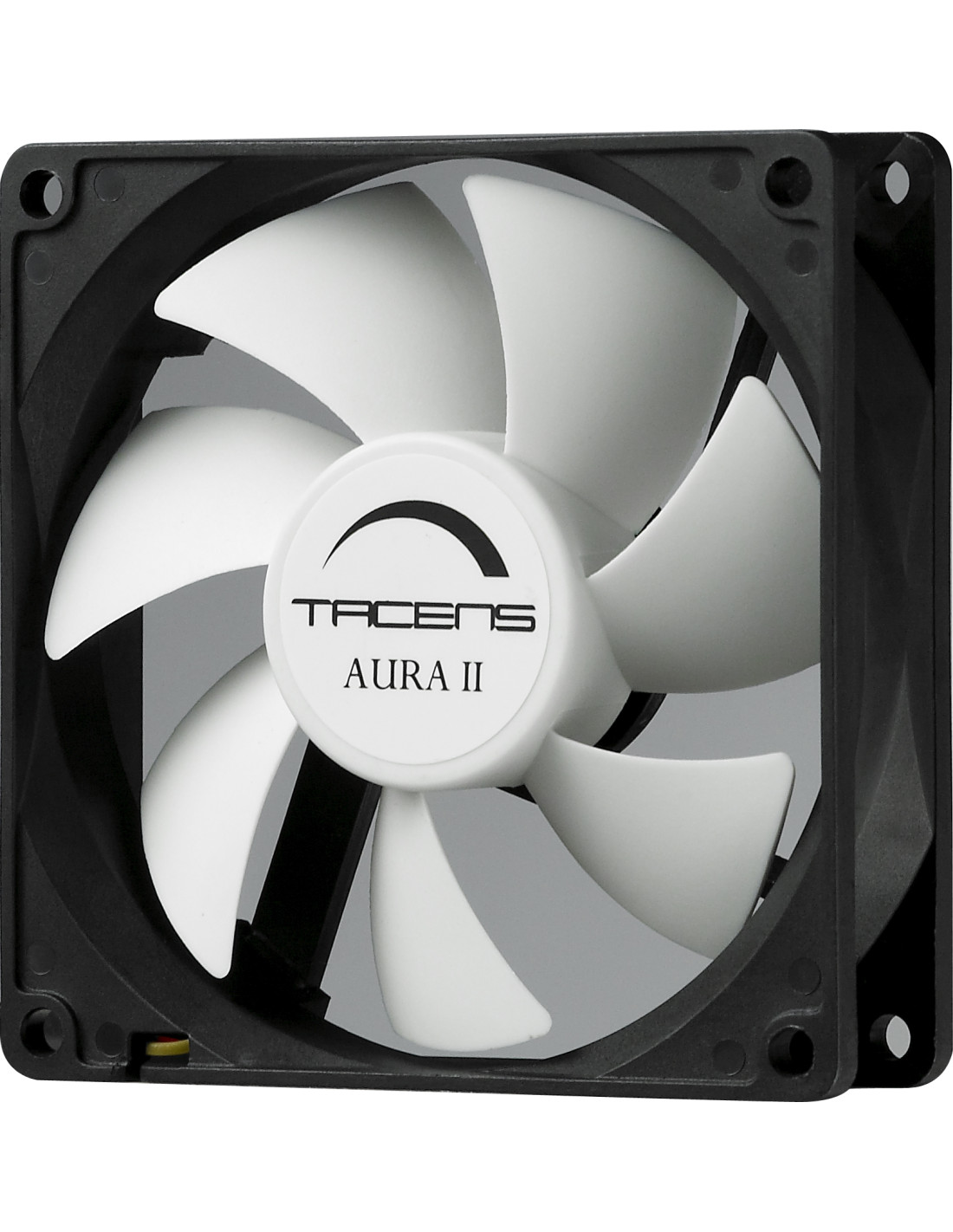
AURAII9
| Weight | 9g 89 |
|---|---|
| Dimensions | 90x90x25mm |
| Speed | 1350 RPM |
| Airflow | 33CFM |
| No. of blades | 7 |
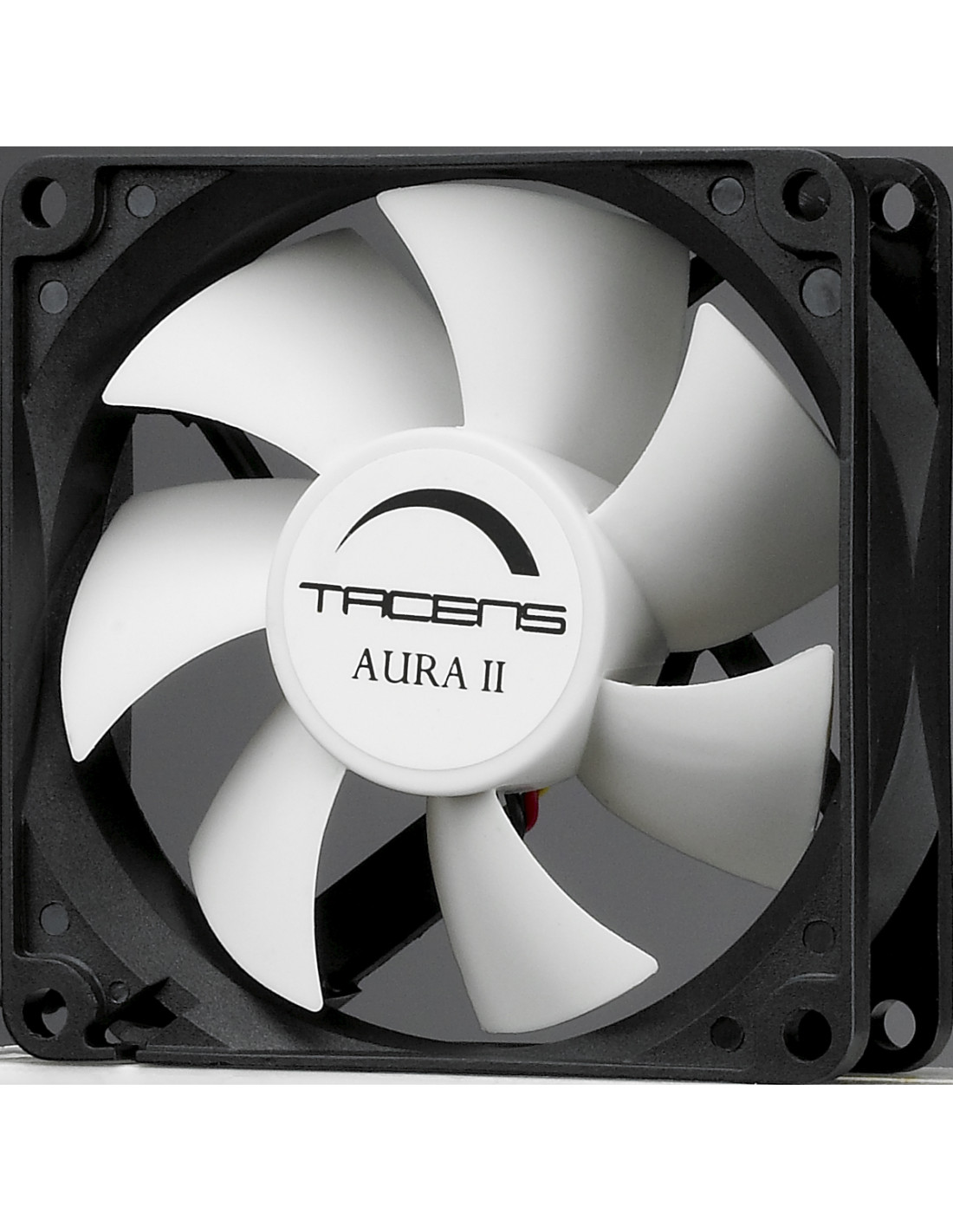
AURAII8
| Weight | 2g 64 |
|---|---|
| Dimensions | 80x80x25mm |
| Speed | 1500 RPM |
| Airflow | 25CFM |
| No. of blades | 7 |
FAQs about gaming cooling
Does liquid cooling require changing the coolant over time?
In all-in-one (AIO) systems the loop comes sealed from the factory and does not allow refilling or coolant changes during its 4 to 6 year lifespan. Only custom liquid cooling systems require draining and periodic maintenance every 12 months.
Is a 140 mm air heatsink always quieter than a 120 mm one?
A 140 mm fan moves a similar or greater volume of air at fewer revolutions per minute than a 120 mm one, which reduces noise by around 2 dBA to 4 dBA at equal airflow. However, it depends on the design of the fan's bearing and motor.
What maximum temperature is safe for a gaming CPU under continuous load?
During extended gaming sessions, keeping the processor between 65 °C and 78 °C is the optimal operating range. Running continuously above 85 °C reduces automatic boost clock frequencies and shortens the lifespan of the voltage regulation components (VRM).
The best: Air cooling carries no risk of leaks or pump failures and offers durability beyond 8 years.
The worst: Dual-tower air heatsinks take up up to 165 mm of height and can block tall RAM modules.
Buy it if: You are looking for maximum technical reliability, zero maintenance and your processor draws less than 150 W when gaming.
Don't buy it if: You use high-end processors above 200 W or want a clear look around the socket; in that case, fit a 240 mm or 360 mm AIO liquid cooler.