
Shopping Cart
There are no more items in your cart
 Español
 English
 Português PT
 Français
 Italiano
 Deutsch
 اللغة العربية
In short: For working continuous shifts of more than 8 hours a day, air cooling is the most reliable and cost-effective option for the vast majority of users thanks to its zero maintenance and lack of mechanical pumps prone to failure, whereas liquid cooling is reserved for workstations with sustained rendering or intensive computing loads exceeding 200 W of continuous CPU consumption.
Table of contents
- Which cooling offers greater reliability during long working sessions?
- What are the technical criteria for choosing between air and liquid cooling?
- How does air perform against liquid cooling in continuous work sessions?
- Which fans guarantee an efficient thermal flow?
- What are the common mistakes when assembling workstation cooling?
- How does power supply efficiency affect internal temperature?
- Frequently asked questions about cooling in work environments
- Final verdict
Which cooling offers greater reliability during long working sessions?
In technical office, programming and design environments where the machine stays on between 8 and 12 hours a day, the decisive factor is the mean time between failures (MTBF). A traditional air cooler relies solely on a metal block and one or two fans; if a fan fails after 30,000 hours of use, replacing it costs a few pounds and the block dissipates heat passively, preventing the processor from immediately reaching critical temperatures.
By contrast, All-in-One (AIO) liquid cooling systems incorporate an internal hydraulic pump that runs continuously at speeds of between 2,000 RPM and 4,000 RPM. Degradation of the coolant through microporosity over 3 to 5 years, or a pump motor failure, completely halts heat transfer to the radiator, pushing the CPU temperature above 95 °C within seconds and forcing a thermal shutdown of the system.
What are the technical criteria for choosing between air and liquid cooling?
Before buying a cooler, assess the following technical parameters of your work machine:
- Processor consumption (TDP): For workloads not exceeding 150 W of sustained consumption, a single- or dual-tower air cooler is enough to keep the cores below 72 °C. From 220 W of heat dissipation upwards, 280 mm or 360 mm liquid cooling radiators expel heat more quickly.
- Airflow versus static pressure: Case fans require airflow (measured in CFM) to renew the internal volume of the chassis. Dense coolers and radiators demand fans with high static pressure (measured in mmH2O or mm-H2O) to force air through the aluminium fins.
- Sustained acoustic impact: Over an 8-hour shift, noise levels above 28 dBA increase listening fatigue. A 140 mm fan moves more air at lower revolutions than a 120 mm one, making it quieter at the same delivered airflow.
- Internal clearance in the chassis: Dual-tower coolers usually require 160 mm to 165 mm of free height in the case and may interfere with high-profile RAM modules.
How does air perform against liquid cooling in continuous work sessions?
The following table compares the behaviour of both solutions in intensive productivity scenarios:
| Criterion | Air cooling | Liquid cooling (AIO) |
|---|---|---|
| Mechanical points of failure | 1 or 2 components (fans only) | 3 or more components (pump, liquid, fans) |
| Required maintenance | Dust cleaning every 6 or 12 months | Radiator cleaning and full replacement after 3 to 5 years |
| Risk of conductive leaks | 0% (no fluids) | Present due to degradation of seals or tubing |
| Initial thermal inertia | Quick stabilisation (reaches max. temp. in 3 min) | Greater thermal inertia (takes 15 to 25 min to saturate the liquid) |
| Performance under 150 W sustained | Excellent (temperatures between 60 °C and 70 °C) | Excellent (temperatures between 55 °C and 65 °C) |
| Performance above 220 W sustained | Limited (fans at 100% speed) | Superior (maintains stable frequencies on 360 mm radiators) |
| Noise level at idle | Very low (12 dBA to 16 dBA) | Continuous pump hum (18 dBA to 24 dBA) |
Which fans guarantee an efficient thermal flow?
An air or liquid cooling system loses effectiveness if the chassis does not renew the fresh air inside. To set up case ventilation or replace worn units, the Tacens catalogue offers specific models depending on the required dimensions:
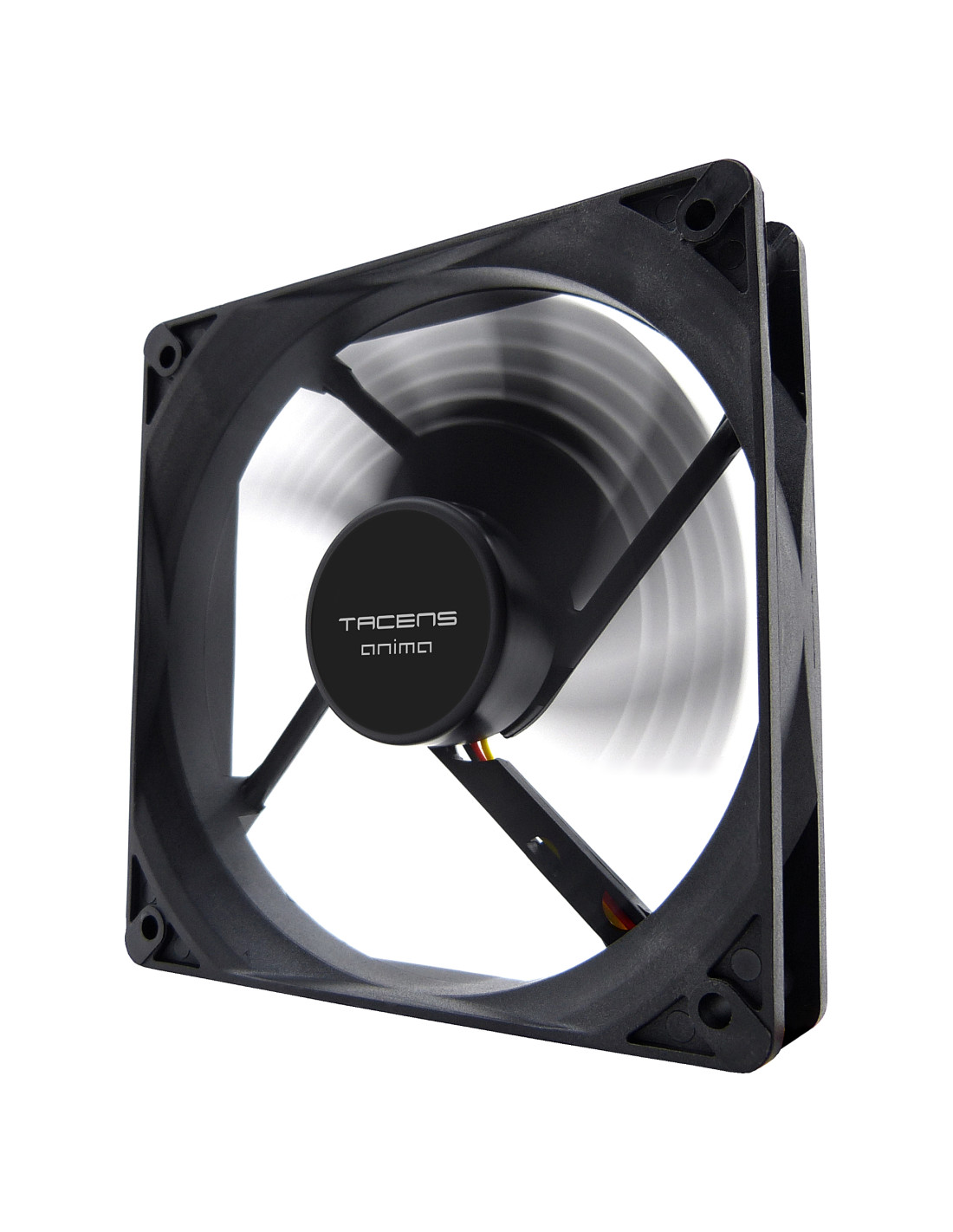
- AF12: 120x120x25 mm fan weighing 120 g with 9 optimised blades. It runs at 1200 RPM (+10%), delivering an airflow of 48.12 CFM with a static pressure of 1.47 mm-H2O and a draw of 0.15 A. Its 14 dBA noise level makes it ideal for radiators and coolers where silence over long shifts is a priority.
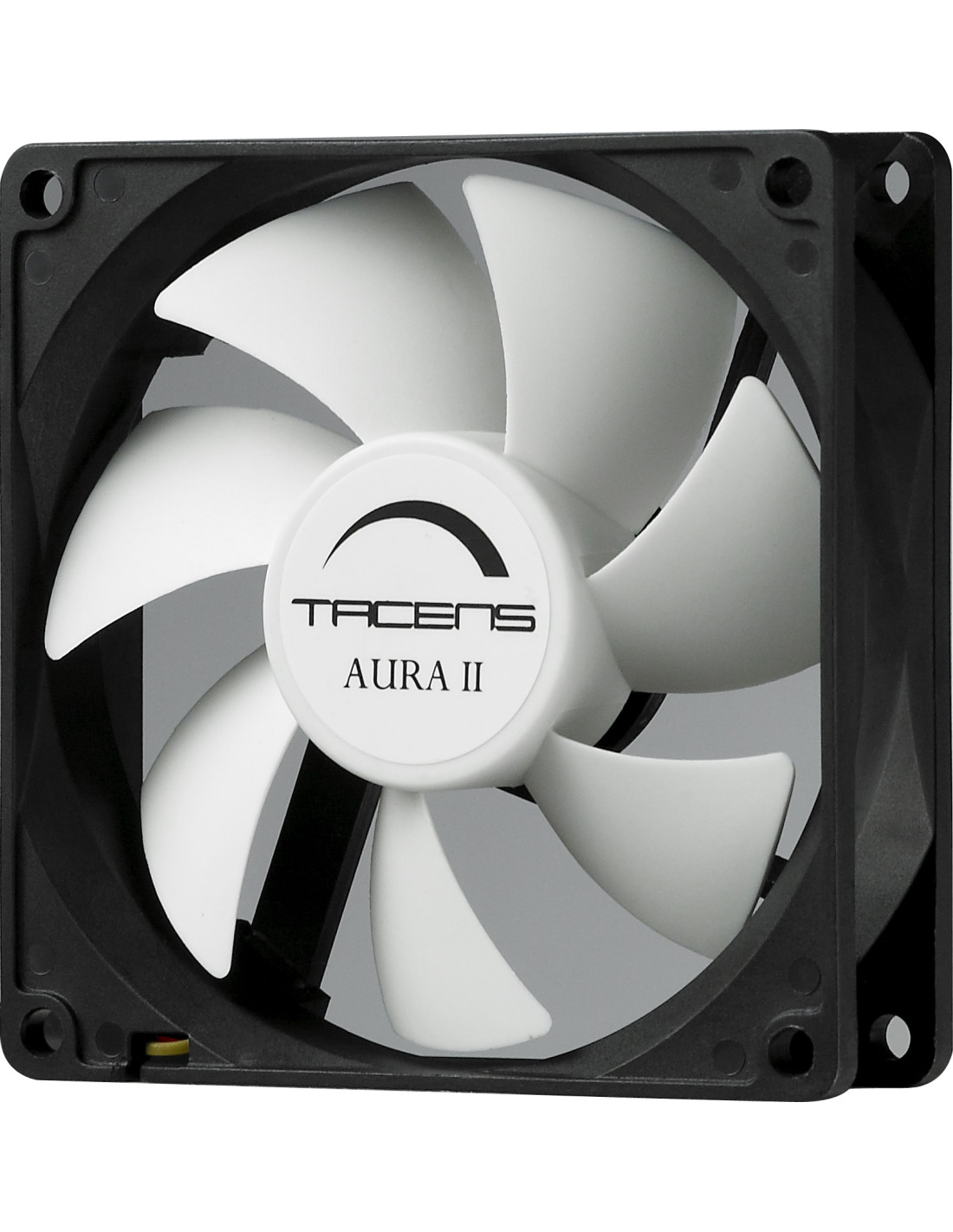
- AURAII12: 120x120x25 mm unit weighing 5 g 98 with 7 blades. It runs at 1200 RPM delivering 50 CFM of airflow for general intake and exhaust ventilation of the chassis.
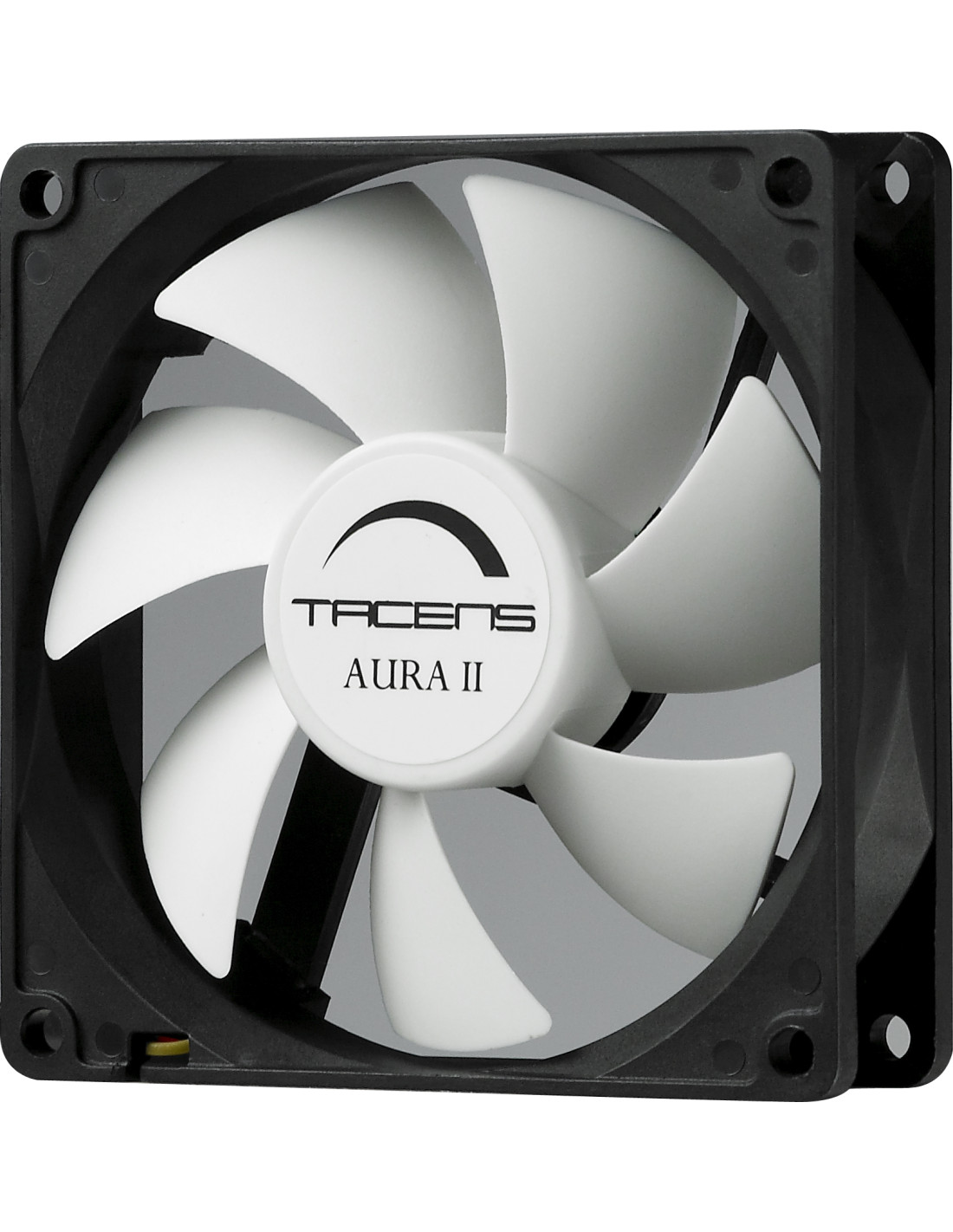
- AURAII9: 90x90x25 mm model with 7 blades and a weight of 9 g 89, reaching 1350 RPM and 33 CFM of air flow in compact cases.
- AF8: 80x80x25 mm fan weighing 60 g, with 7 blades, a speed of 1800 RPM (+10%), an airflow of 30.5 CFM, a pressure of 1.25 mm-H2O, a draw of 0.12 A and an acoustic emission of 14 dBA.
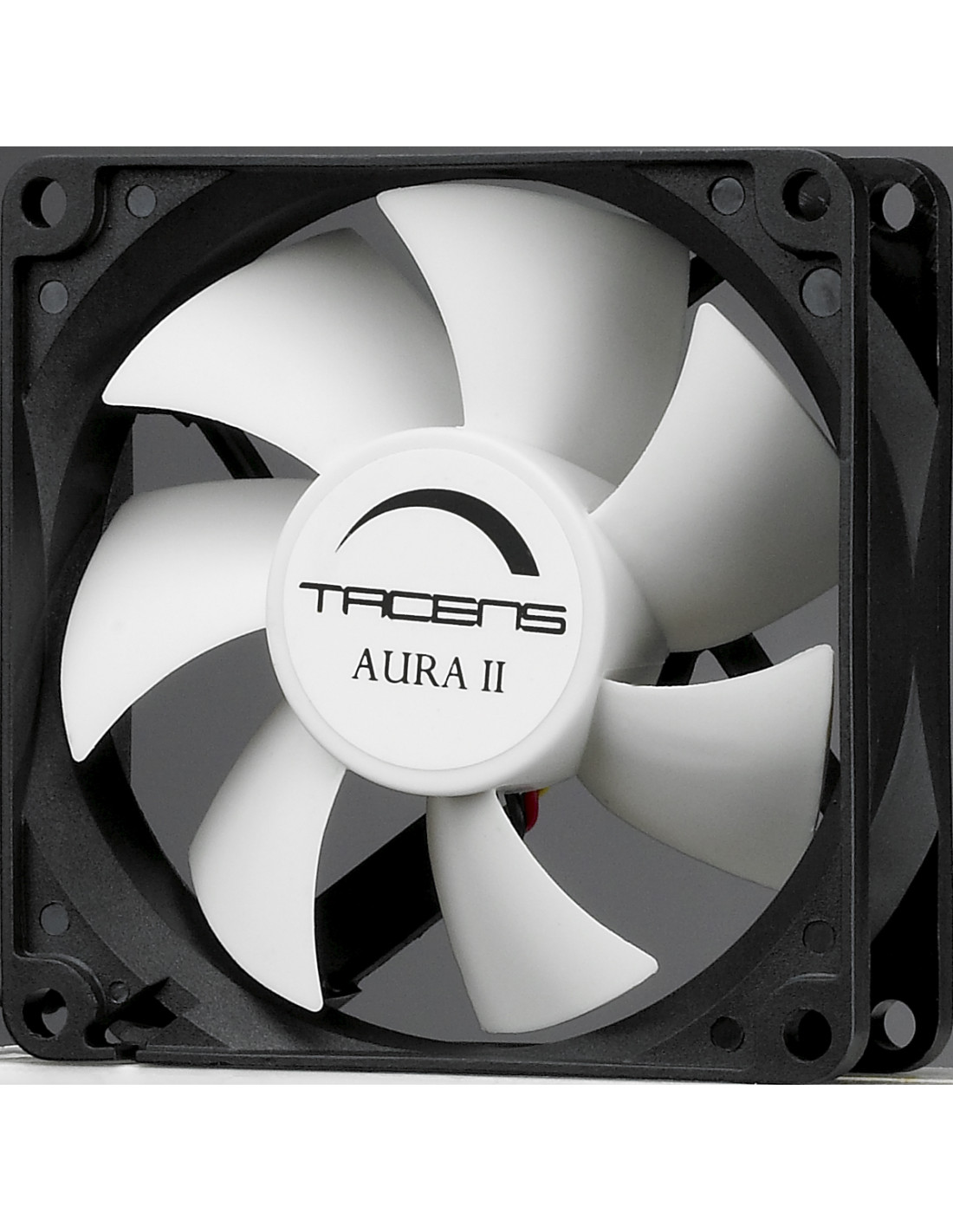
- AURAII8: 80x80x25 mm format with 7 blades and a weight of 2 g 64, running at 1500 RPM with 25 CFM of air flow.
Remember that airflow and static pressure are not interchangeable: fitting a high-airflow but low-pressure unit (below 1.0 mm-H2O) onto a dense cooler drastically reduces heat dissipation.
Fan comparison (120 mm vs 80 mm format):
- AF12 (120 mm): 1200 RPM | 48.12 CFM | 1.47 mm-H2O | 14 dBA | 0.15 A
- AF8 (80 mm): 1800 RPM | 30.50 CFM | 1.25 mm-H2O | 14 dBA | 0.12 A
What are the common mistakes when assembling workstation cooling?
- Confusing mandatory markings with quality seals: CE marking and RoHS compliance are indispensable legal requirements for selling products in the European Union, relating to electromagnetic compatibility and the restriction of hazardous substances. They do not constitute an independent certification of performance, durability or quietness.
- Prioritising airflow over pressure on coolers: Fitting fans designed solely to move air inside a case onto a cooler with tightly packed fins causes air bounce-back and raises the temperature by between 5 °C and 8 °C.
- Neglecting radiator orientation in liquid cooling: Mounting an AIO radiator at the bottom of the case causes air bubbles to become trapped in the pump block, accelerating mechanical wear and producing cavitation noise.
- Over-specifying cooling on mid-range processors: Investing in a 360 mm liquid cooler for a 65 W processor brings no performance gains over a 120 mm air cooler and adds critical points of failure.
How does power supply efficiency affect internal temperature?
The total heat inside the chassis depends directly on the energy dissipated by the power supply. A low-efficiency PSU converts a large fraction of the electrical energy into waste heat that warms the inside of the case and forces the fans to spin at higher RPM.
To calculate the heat generated by inefficiency under a continuous 350 W load for 8 hours a day:
- With a PSU of basic 75% efficiency:
350 W / 0.75 = 466.6 W of total mains consumption.
466.6 W - 350 W = 116.6 W dissipated directly as heat inside the case.
- With a high-efficiency PSU (such as the Tacens Radix range with 80 PLUS Gold certification administered by CLEAResult):
350 W / 0.90 = 388.8 W of total consumption.
388.8 W - 350 W = 38.8 W dissipated as heat.
The thermal difference amounts to 77.8 W less continuous heat inside the machine (116.6 W - 38.8 W = 77.8 W), which lowers the internal ambient temperature and keeps the fans at speeds below 1200 RPM. To verify these efficiency and electrical safety values objectively, rely on independent voluntary certifications such as 80 PLUS, Cybenetics ETA, Cybenetics LAMBDA or TÜV Rheinland, rather than on mere declarations of legal conformity.
Products mentioned
AF12
| Weight | 120g |
|---|---|
| Dimensions | 120x120x25mm |
| Speed | 1200 RPM +10% |
| Air flow | 48.12CFM |
| No. of blades | 9 |
| Noise | 14dBA |
AURAII12
| Weight | 5g 98 |
|---|---|
| Dimensions | 120x120x25mm |
| Speed | 1200 RPM |
| Air flow | 50CFM |
| No. of blades | 7 |
AURAII9
| Weight | 9g 89 |
|---|---|
| Dimensions | 90x90x25mm |
| Speed | 1350 RPM |
| Air flow | 33CFM |
| No. of blades | 7 |
AURAII8
| Weight | 2g 64 |
|---|---|
| Dimensions | 80x80x25mm |
| Speed | 1500 RPM |
| Air flow | 25CFM |
| No. of blades | 7 |
Frequently asked questions about cooling in work environments
How often should thermal paste be replaced on a continuously working PC?
On machines subjected to shifts of more than 8 hours a day, it is recommended to renew the thermal compound every 18 to 24 months. Degradation caused by constant thermal cycles can raise the average CPU temperature by between 4 °C and 6 °C after two years of use.
What happens if the pump of a liquid cooling system fails during an unattended task?
The processor will reach its thermal limit (usually between 95 °C and 105 °C) in under 60 seconds as the liquid stops circulating. The system will trigger thermal throttling, drastically reducing its operating frequency, or it will shut down for safety to avoid permanent damage.
Is a 140 mm fan or a 120 mm one better for working quietly?
The 140 mm fan offers a better airflow-to-noise ratio because it moves the same volume of air (CFM) while spinning at fewer revolutions per minute (RPM). If the chassis allows it, two 140 mm front fans can operate at under 1000 RPM while keeping noise levels below 18 dBA.
The best: Air cooling completely eliminates the risk of hydraulic pump failure and potential leaks, guaranteeing maximum work continuity.
The worst: Its instantaneous heat absorption capacity is lower when faced with consumption spikes exceeding 220 W during lengthy renders.
Buy it if: You work more than 8 hours a day in design, development, advanced office work or moderate editing and you want a reliable, maintenance-free machine.
Don't buy it if: You use extreme high-consumption processors under continuous rendering at 100% load; in that case, fit a 360 mm liquid cooling system.