
Shopping Cart
There are no more items in your cart
 Español
 English
 Português PT
 Français
 Italiano
 Deutsch
 اللغة العربية
In summary: A PC case with removable bottom dust filters protects the power supply air intake from floor lint, allows the grille to be cleaned in under 1 min without opening the chassis, and reduces internal component temperatures by up to 15 % by keeping the airflow unobstructed.
Table of contents
- What are the benefits of a removable bottom dust filter?
- How does dust affect temperature and noise?
- Which technical criteria should you check before choosing your chassis?
- When is each ventilation configuration suitable?
- Comparison of chassis by form factor and capacity
- Which common mistakes should you avoid when buying a PC case?
- Available models and component compatibility
- FAQs about bottom filters and cooling
What are the benefits of a removable bottom dust filter?
The bottom of the chassis is the area closest to the floor or desk, where up to 80 % more airborne particles accumulate than at the top. A removable bottom dust filter is a mesh of nylon or micro-perforated plastic designed to trap particles before they reach critical components.
- Direct protection of the power supply: ATX power supplies usually mount 120 mm fans facing downwards to draw fresh air from outside; the filter prevents the fan from sucking in lint and dirt.
- Maintenance in under 1 min: Being removable via sliding rails or magnetic mounting, it can be pulled out from the rear or bottom without unscrewing or opening the side panels.
- Preservation of static pressure: Static pressure (measured in mmH2O) is the force with which a fan pushes air against a resistance. A clean filter keeps resistance below 0.5 mmH2O, preventing the fan from losing airflow (measured in CFM, cubic feet per minute).
- Longer component lifespan: A layer of dust acts as thermal insulation; keeping it out extends the lifespan of bearings and capacitors by more than 5 years of continuous use.
How does dust affect temperature and noise?
When the filter or the bottom intake grille becomes clogged, airflow drops by more than 40 %, forcing the fan in the power supply or at the bottom of the case to spin faster to compensate for the heat. This raises sound emissions from a quiet level of 18 dBA to peaks above 35 dBA (measured with A-weighting).
An efficient power supply with Gold certification, such as the units in Tacens' Radix range, dissipates less energy as heat, but still requires a clear air intake to keep its fan curves at minimum dBA values.
For example, 250 W / 0.90 = 277.7 W of total draw at the mains socket, where 277.7 W - 250 W = 27.7 W is dissipated directly as heat inside the power supply, requiring a continuous airflow of at least 15 CFM to keep the operating temperature below 45 °C.
Which technical criteria should you check before choosing your chassis?
To ensure adequate ventilation and easy maintenance, assess these technical factors before buying:
- Orientation and bottom clearance: The chassis should have feet at least 15 mm tall to allow the bottom fan to draw air without being starved against the desk surface or floor.
- Compatible fan type:
- 120 mm fans: The most widespread standard in midi-tower and mini-tower cases; they offer a solid balance between airflow and noise level.
- 140 mm fans: They move a greater volume of air in CFM at fewer revolutions per minute than a 120 mm fan, generating less noise in dBA at the same airflow.
- Static pressure vs. airflow: Fans intended to push air through dense dust filters should prioritise static pressure (mmH2O) over raw airflow (CFM), since high airflow without pressure loses effectiveness when it hits the mesh.
- Filter removal system: Sliding systems with a rigid frame are quicker to clean under the tap than flexible meshes held on by magnets, which can deform over time.
When is each ventilation configuration suitable?
- Positive pressure (more fans bringing air in than taking it out): Recommended when the case has filters on all intakes (front and bottom). It prevents dust from entering through the PCIe slots and unfiltered seams.
- Negative pressure (more fans extracting air): Useful for quickly expelling heat in compact chassis with 80 mm or 120 mm rear fans, although it draws dust in through unprotected gaps if the filters are not cleaned every 30 days.
- Direct bottom intake for the GPU: Suitable for high-performance builds where 2 fans of 120 mm are fitted at the base of the chassis to blow fresh air directly onto the graphics card.
Comparison of chassis by form factor and capacity
The following table summarises the dimensions, weight and fan support of different chassis so you can assess their compatibility and cooling capacity:
| Model | Form factor | Dimensions (mm) | Weight | Fan capacity | Storage bays |
|---|---|---|---|---|---|
| 2SAGITTA20W | Midi-tower | 450 x 190 x 340 mm | 3.91 kg | Top 2x 120/140 mm, Bottom 2x 120 mm, Rear 1x 120 mm | 1x 3.5" HDD / 2x 2.5" SSD |
| IMPERATORII | Midi-tower | 378 x 428 x 193 mm | 2690 g | Up to 5x 120 mm | 2x 3.5" HDD / 2x 2.5" SSD |
| 2AERO | Midi-tower | 342 x 186 x 414 mm | 3.02 kg | Front 3x 120 mm / Rear 1x 120 mm | 1x 3.5" HDD / 4x 2.5" SSD |
| 2AEROM | Mini-tower | 330 x 189 x 380 mm | 2.7 kg | Front 3x 120 mm / Rear 1x 120 mm | 1x 3.5" HDD / 3x 2.5" SSD |
| FORTISII | Mini-tower | 384 x 185 x 320 mm | 2.73 kg | Front 1x 120 mm / Rear 1x 120 mm | ATX support (with carry handle) |
| NOVAX550BR | Mini-tower | 356 x 166 x 275 mm | 3437 g | Rear 1x 80 mm | 2x 3.5" HDD / 2x 2.5" SSD |
Which common mistakes should you avoid when buying a PC case?
- Ignoring the height of the feet: Buying a chassis with bottom feet of less than 10 mm on carpets completely blocks the air intake towards the filter, causing the power supply to exceed 50 °C within minutes.
- Confusing airflow with static pressure: Fitting high-airflow (CFM) but low static pressure (below 1.0 mmH2O) fans in filtered areas reduces air intake by up to 30 %.
- Forgetting power supply compatibility: Fitting long power supplies in compact chassis can block the bottom fan intake area or clash with the 3.5" HDD bays.
- Not checking the removal clearance: Choosing a bottom filter that is removed from the rear when the case sits less than 50 mm from the wall means having to move the whole system (up to 4 kg or more) at every clean.
Available models and component compatibility
If you want to maximise bottom airflow, models such as the 2SAGITTA20W midi-tower include support for 2 bottom fans of 120 mm in addition to compatibility with 140 mm top fans and front USB-C ports.
For standard work or gaming builds looking for lightness and ATX compatibility, chassis such as the IMPERATORII (2690 g in weight) support up to 5 fans of 120 mm. In compact mini-tower form factors, the 2AEROM offers support for 3 front fans of 120 mm in a reduced volume of 330 x 189 x 380 mm, while the FORTISII (2.73 kg) adds a carry handle for frequent moves whilst retaining compatibility with ATX power supplies.
Products mentioned
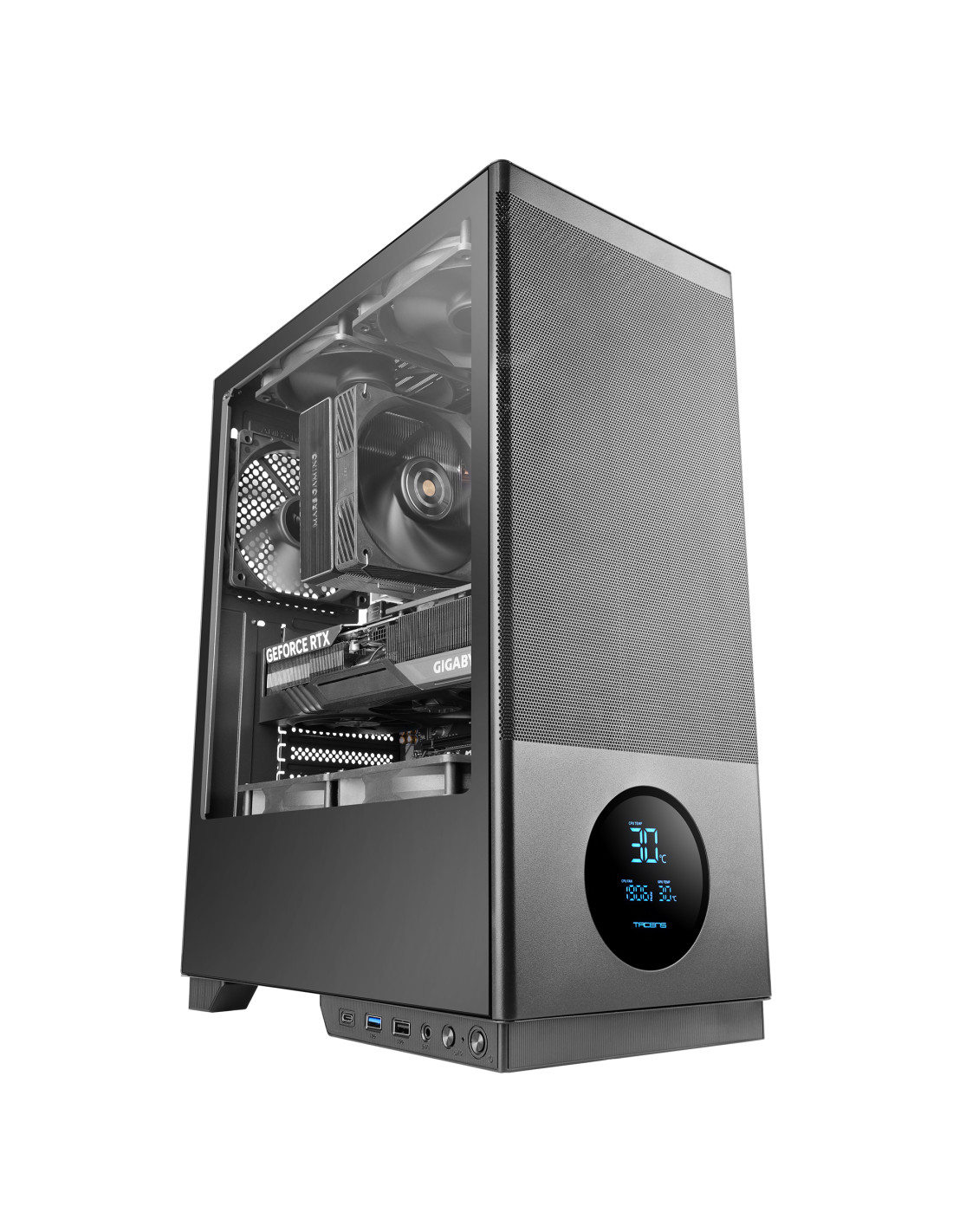
SAGITTA20
| Weight | 3.91Kg |
|---|---|
| Dimensions | 450x190x340mm |
| Size | Midi-tower |
| Fan capacity | Top 2x 120mm or 2x 140mm / Bottom 2x 120mm / Rear 1x 120mm |
| Ports | USB3.0 x1 / USB2.0 x1 / USB-C x1 (USB3.0 data transfer speed) / HD Audio + Mic (combined) |
| Power supply support | ATX |
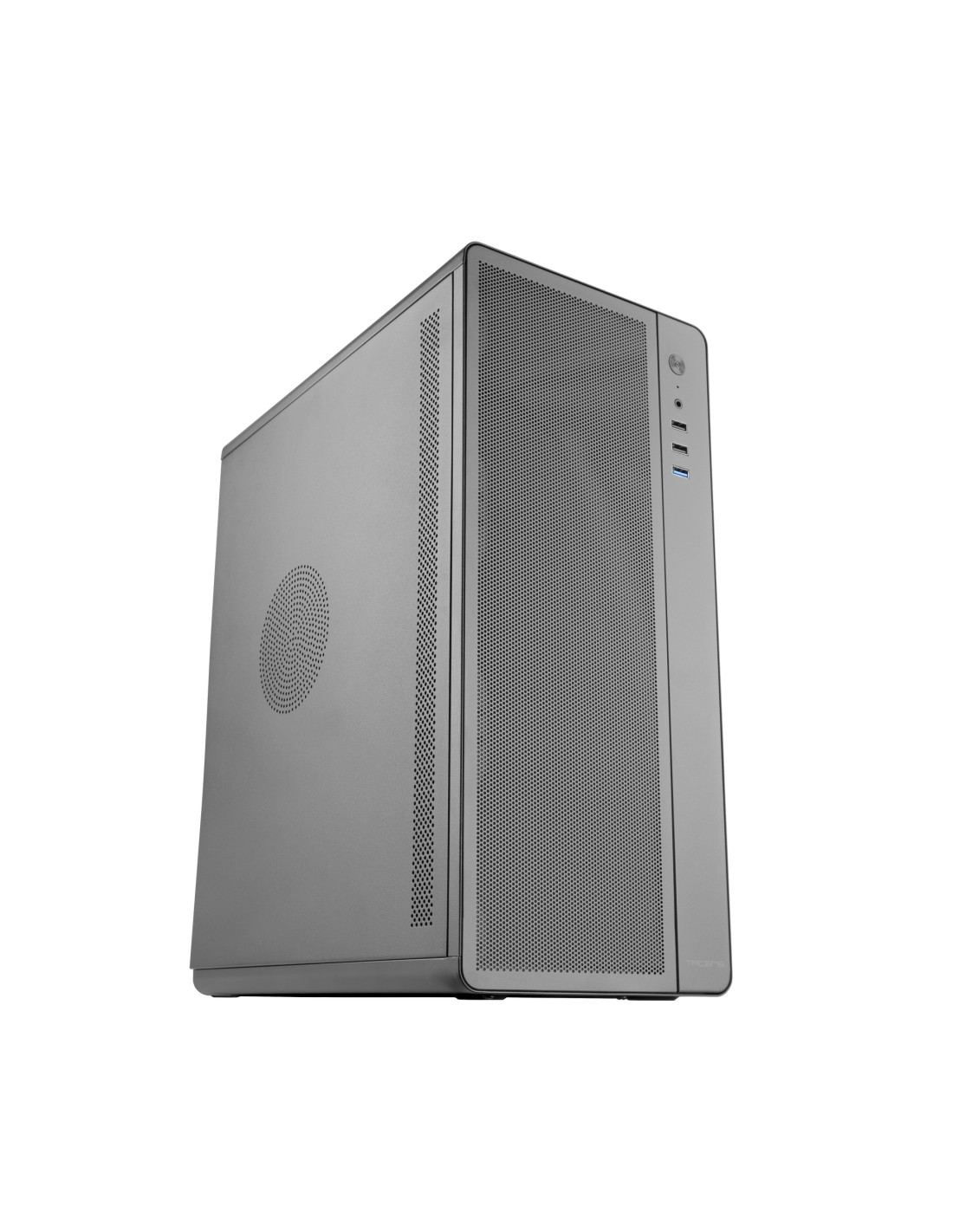
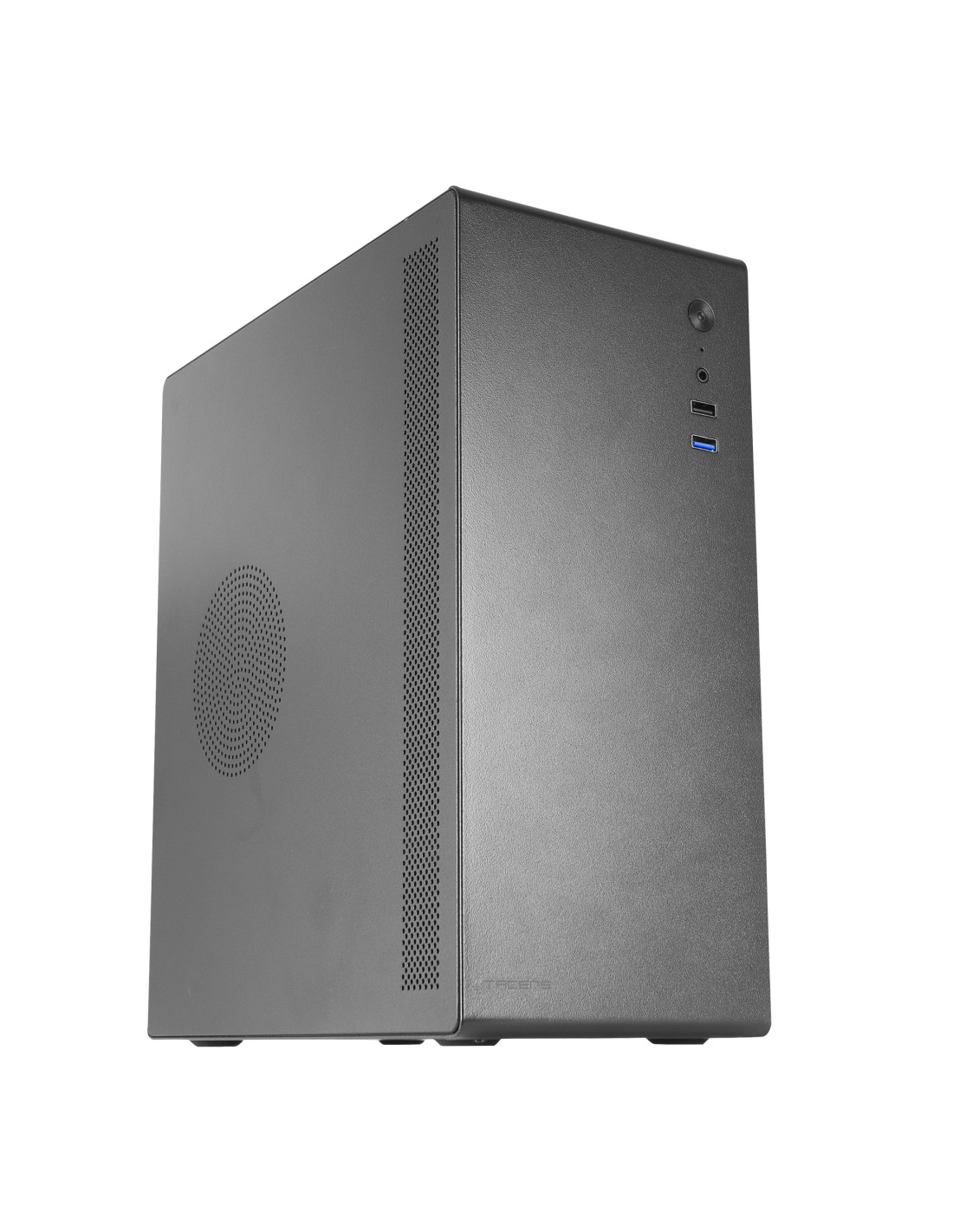
NOVAX550BR
| Weight | 3437g |
|---|---|
| Dimensions | 356x166x275mm |
| Size | Mini-tower |
| Fan capacity | Rear: 1x 80mm |
| Ports | USB3.0 x1 / USB2.0 x1 / HD Audio + Mic (combined) |
| Power supply support | ATX |
FAQs about bottom filters and cooling
How often should the bottom filter be cleaned?
It is recommended to check it every 30 or 60 days on hard floors, and every 15 days if the case sits on carpets or rugs. Regular cleaning keeps air restriction below 0.3 mmH2O.
Can the dust filter be washed with water?
Yes, nylon or synthetic plastic meshes can be washed with lukewarm water under the tap. It is essential to dry them completely for at least 15 min before refitting them to prevent moisture from entering the 230 V power supply.
Does a 140 mm fan need more open filters than a 120 mm one?
No, the filter mesh size is independent of the fan diameter. However, a 140 mm fan generates greater pressure and airflow at fewer dBA, coping better with filter resistance than a small 80 mm unit.
The best: Protects the power supply from floor lint and allows a full clean in under 1 min without dismantling the system.
The worst: Slightly reduces raw airflow compared with an open grille, requiring fans with sufficient static pressure in mmH2O.
Buy it if: You place the tower near the floor or in dusty environments and want to maintain stable temperatures and low noise for years.
Don't buy it if: You use an ultra-compact chassis with a top-mounted power supply where there is no bottom air intake and a rear 80 mm fan is prioritised.