
Shopping Cart
There are no more items in your cart
 Español
 English
 Português PT
 Français
 Italiano
 Deutsch
 اللغة العربية
In summary: Choosing a case with an enclosed PSU compartment (technically known as a PSU shroud) improves airflow by thermally isolating the power supply from the rest of the components, hides excess cabling and dampens the noise emitted towards the main area of the chassis.
Table of contents
- What is an enclosed compartment and how does it isolate heat?
- What advantages does it offer for cable management and airflow?
- How does this design affect the system's noise level?
- Technical comparison: chassis with and without an enclosed compartment
- How to calculate the power and heat generated in the compartment?
- Technical criteria before choosing a case and PSU
- What are the most common mistakes when building with an enclosed compartment?
- Recommended PSUs and cases according to your usage profile
- Frequently asked questions
- Final verdict
What is an enclosed compartment and how does it isolate heat?
An enclosed compartment or PSU shroud is a physical metal divider located at the bottom of the chassis that separates the power supply and the hard drive bays from the motherboard, processor (CPU) and graphics card (GPU).
In a traditional build without separation, the heat from the GPU (which typically dissipates between 150 W and 350 W) interacts directly with the air drawn in by the power supply. By integrating an isolated chamber, the PSU draws cool air directly from outside through a filtered bottom grille and expels hot air through the rear without crossing the thermal flow of the motherboard.
| Upper chamber: Motherboard, CPU and GPU |
|---|
| (Airflow from front fans towards the rear) |
+=================================================+ <--- Metal divider (PSU Shroud)
| Lower chamber: PSU and excess cabling |
|---|
| (Draws cool air from below -> Expels through the rear) |
Electrolytic capacitors are the most temperature-sensitive components inside a power supply. While standard models use capacitors rated at 85 °C, the most durable PSUs employ Japanese capacitors rated at 105 °C, capable of maintaining their lifespan even when operating in confined spaces where the internal ambient temperature reaches 40 °C.
What advantages does it offer for cable management and airflow?
Hiding cables is not merely an aesthetic matter; it directly influences fluid dynamics inside the case:
- Elimination of turbulence: Loose cable bundles in the main compartment slow down the front airflow, reducing the effectiveness of fans such as the AURAII12 (which generates 50 CFM at 1200 RPM).
- Space for the surplus: It allows unused connectors (such as 4-pin Molex connectors or secondary PCIe cables) to be housed without strangling the space of the expansion cards.
- Compatibility with flat cabling: The use of flat, extra-long cables makes routing behind the motherboard tray easier, requiring less than 20 mm of lateral depth.
How does this design affect the system's noise level?
The steel structure of an enclosed compartment acts as a passive acoustic barrier. The fan of the PSU, being oriented towards the base of the chassis and covered by the top panel, dampens the sound pressure towards the user.
While a generic PSU with a standard 120 mm fan typically generates between 20 dB and 28 dB at full load, a PSU with a 140 mm fan reduces the revolutions needed to move the same volume of air, placing the sound emission at around 12 dB. This difference of 8 dB to 16 dB is critical to keeping the system inaudible at idle.
Technical comparison: chassis with and without an enclosed compartment
| Technical characteristic | Traditional open chassis | Chassis with enclosed compartment |
|---|---|---|
| Thermal separation | None (the GPU heats the PSU's intake air) | Complete (independent air chamber at the base) |
| Direct acoustic attenuation | 0 dB additional | Reduction of 2 dB to 4 dB towards the room |
| Management of surplus cabling | Visible in the main chamber | Hidden at the base (up to 160 mm of usable space) |
| Impact on CPU/GPU airflow | Loss of up to 15% due to physical obstruction | Direct front-to-rear airflow without obstacles |
| PSU length limit | Practically unlimited | Limited (typically between 160 mm and 200 mm) |
How to calculate the power and heat generated in the compartment?
All the energy that a PSU does not convert into electricity for the components is dissipated as residual heat inside the enclosed compartment. To size the ventilation correctly, the efficiency must be calculated according to the 80 PLUS standard at 230V EU:
- 80 PLUS Bronze: 85% at 20%, 88% at 50%, 85% at 100% load.
- 80 PLUS Gold: 90% at 20%, 92% at 50%, 89% at 100% load.
- 80 PLUS Platinum: 92% at 20%, 94% at 50%, 90% at 100% load.
For example, 220 W of GPU + 125 W of CPU + 45 W of motherboard and drives = 390 W of continuous consumption, and 390 W / 0.90 = 433.3 W drawn from the wall with a PSU at 90% efficiency; the difference of 433.3 W - 390 W = 43.3 W corresponds to the heat that the PSU fan must evacuate from the compartment.
If a PSU with a lower certification or uncertified is used, operating at 75% efficiency:
- Continuous system load: 390 W
- Power drawn: 390 W / 0.75 = 520 W
- Heat dissipated inside the chamber: 520 W - 390 W = 130 W
Residual heat of 130 W triples the internal temperature of the compartment compared to the 43.3 W of a Gold model, demonstrating the importance of choosing efficient PSUs when they are enclosed under a shroud.
Technical criteria before choosing a case and PSU
- Maximum compartment length: Measure the lower internal space. If the PSU measures 150x160x85 mm, at least 190 mm of free space is required to accommodate the routing of rigid or flat cables without bending them at angles below 90 degrees.
- Diameter of the integrated fan: Opt for PSUs with a 140 mm fan instead of 120 mm to ensure efficient cooling at low revolutions inside the enclosed chamber.
- Capacitor quality: Make sure the manufacturer specifies Japanese capacitors rated at 105 °C to withstand prolonged thermal cycles of more than 5 years.
- Cable design: Extra-long flat cables are essential in order to route around the chassis through the rear cable pass-throughs without the need for extensions.
What are the most common mistakes when building with an enclosed compartment?
- Mounting the PSU upside down: Placing the PSU fan pointing towards the solid top panel of the compartment instead of pointing at the bottom grille with dust filter. This suffocates the airflow and raises the internal temperature of the PSU above 60 °C.
- Saturating the drive space: Installing 3.5-inch HDD cages alongside PSUs longer than 160 mm, blocking the routing of the 24-pin and 8-pin EPS cables.
- Relying on mandatory markings as a thermal guarantee: Assuming that CE or RoHS marking certifies the durability of internal components; these seals only attest to European regulatory compliance, not thermal performance or efficiency.
Recommended PSUs and cases according to your usage profile
To guarantee compatibility and thermal performance in builds with an enclosed compartment, the Tacens brand offers specific combinations according to the power demands of each system:
High-performance Gaming profile and workstations
- PSU: Tacens 1RECOX850 (Radix range).
- Technical justification: Delivers 850 W with Gold certification, integrating Japanese Toshin Kyogo capacitors rated at 105 °C and a 140 mm fan with a sound level of just 12 dB. Its dimensions of 150x160x85 mm fit comfortably in cases with a shroud while maintaining a generous thermal margin.
Balanced Gaming profile
- PSU: Tacens 1RECOX750 or 1RECOX650 (Radix range).
- Technical justification: Models of 750 W and 650 W respectively, equipped with black, extra-long flat cables that allow hidden routing without blocking airflow in compact chassis, in addition to the 140 mm fan.
Multimedia profile or compact configuration
- Case: Tacens ENSIS.
- Technical justification: Ultra-thick steel structure with dimensions of 337x187x413 mm and a weight of 3.14 kg, compatible with ATX, MicroATX and Mini-ITX motherboards, equipped with USB 3.0 x1 and USB 2.0 x2 connectivity.
- PSU: Tacens 1RECOX550.
- Technical justification: 550 W output with a 140 mm fan and flat cables, ideal for moderate consumption while ensuring a clutter-free environment.
Products mentioned
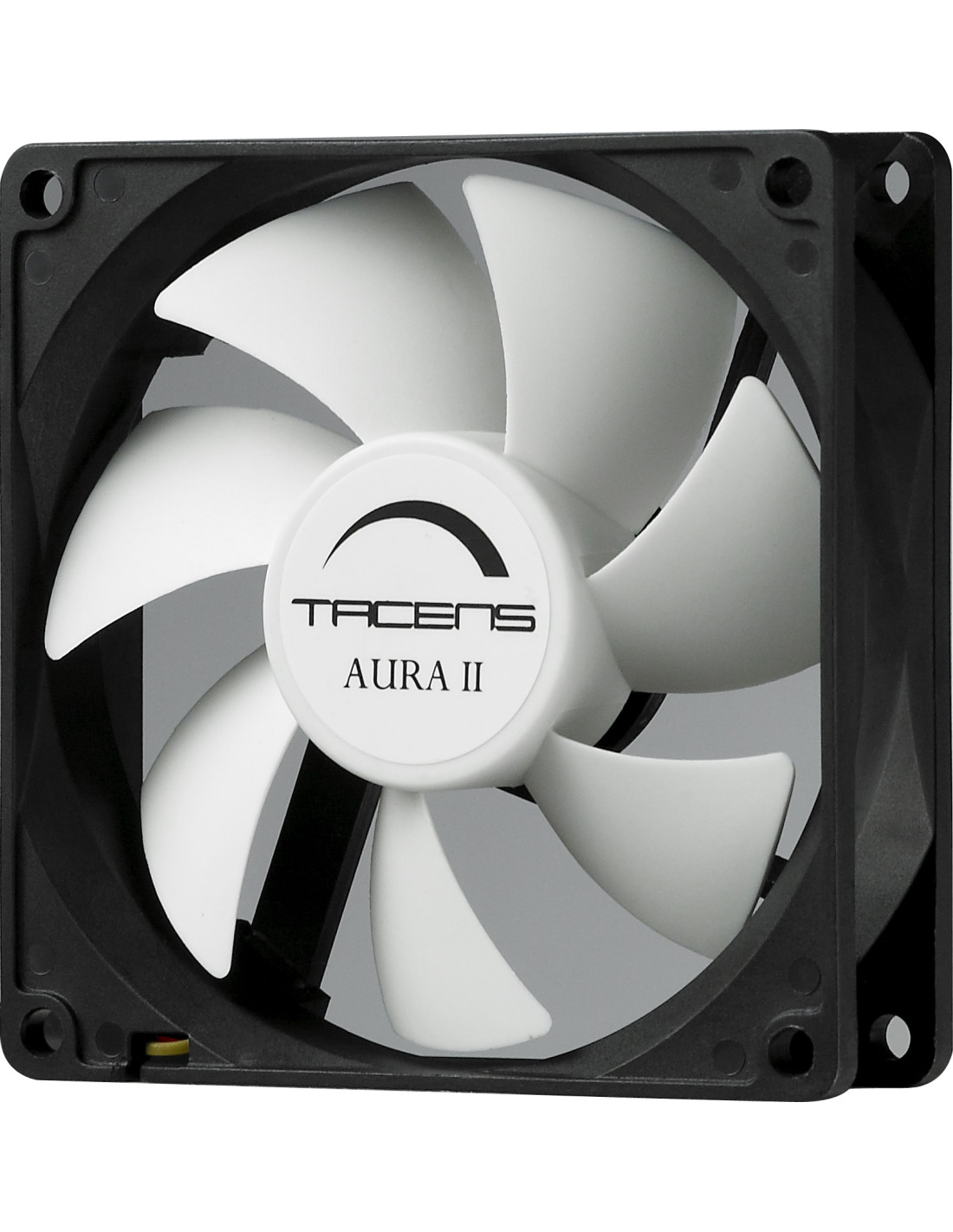
AURAII12
| Weight | 5g 98 |
|---|---|
| Dimensions | 120x120x25mm |
| Speed | 1200 RPM |
| Airflow | 50CFM |
| Number of blades | 7 |

RADIX ECO X 850
| Weight | 1548g |
|---|---|
| Dimensions | 150x160x85mm |
| Certifications | ATX12V CE ROHS TUV |
| Connectors | /1x ATX MB 24 PIN /1x EPS +12V 4+4 PIN /2x PCIe 6+2 PIN /6x SATA /3x Molex 4 PIN |
| Extras | Japanese Toshin Kyogo capacitors rated at 105°C |
| Colour | Black |

RADIX ECO X 750
| Weight | 1479g |
|---|---|
| Dimensions | 150x160x85mm |
| Certifications | ATX12V CE ROHS TUV |
| Connectors | /1x ATX MB 24 PIN /1x EPS +12V 4+4 PIN /2x PCIe 6+2 PIN /6x SATA /3x Molex 4 PIN |
| Extras | Black, extra-long flat cables |
| Colour | Black |

RADIX ECO X 650
| Weight | 1400g |
|---|---|
| Dimensions | 150x160x85mm |
| Certifications | ATX12V CE ROHS TUV |
| Connectors | /1x ATX MB 24 PIN /1x EPS +12V 4+4 PIN /1x PCIe 6+2 PIN /4x SATA /2x Molex 4 PIN |
| Extras | Black, extra-long flat cables |
| Colour | Black |
Frequently asked questions
Does the enclosed compartment increase the temperature of the power supply?
No, provided that the chassis has a bottom ventilation grille and the PSU is installed with its fan facing downwards. In this way, the PSU creates an independent thermal circuit by drawing ambient-temperature air from outside.
Can PSUs of any size be installed in a case with an enclosed compartment?
No, the interior space is usually delimited by the presence of hard drive bays located in the same lower tunnel. With standard PSUs of 150x160x85 mm, it is necessary to check that the case leaves at least 190 mm of length free.
What advantage do flat cables offer inside this compartment?
Flat cables take up up to 40% less volume compared to traditional round braided cables. This allows the surplus to be grouped at the base of the compartment without obstructing the air intake of the rest of the system.
Final verdict
The best: It isolates the PSU's residual heat and reduces the noise of the 140 mm fan to just 12 dB.
The worst: It limits the space available for PSUs longer than 160 mm if HDD bays are kept.
Buy it if: You are looking for clean, unobstructed airflow for the graphics card and a build with hidden cabling.
Don't buy it if: You use an older chassis with intake air exclusively at the top or non-compatible extended-format PSUs.