
Shopping Cart
There are no more items in your cart
 Español
 English
 Português PT
 Français
 Italiano
 Deutsch
 اللغة العربية
In short: In a modern PC case, the essential front ports are at least one USB 3.0 port (USB 3.2 Gen 1 at 5 Gbps), one or two auxiliary USB 2.0 ports for low-data-rate peripherals and a combined or separate 3.5 mm HD Audio socket for headphones and microphone, with the USB-C connector an increasingly necessary addition.
Table of contents
- Which front ports are really essential today?
- Why does the USB type determine transfer performance?
- Criteria for choosing the right front panel
- What common mistakes are made when choosing case ports?
- Connectivity and chassis options at Tacens
- Comparison of cases and front connectors
- How do form factor and ventilation influence the choice of case?
- Frequently asked questions about front ports
Which front ports are really essential today?
The front panel (or top I/O panel) centralises the computer's quick connections so you avoid reaching round to the back of the motherboard. The must-have elements in a modern build include:
- USB 3.0 Type A: Offers a theoretical bandwidth of 5 Gbps (around 500 MB/s gross), enough for flash drives and high-speed external drives.
- USB 2.0 Type A: Operates at a maximum of 480 Mbps (roughly 40 MB/s real-world), suitable for connecting mouse receivers, keyboards or boot drives without saturating the USB 3.0 lines.
- HD Audio connector (3.5 mm jack): May come as separate input/output ports or in combined form (4-pole 3.5 mm TRRS) for headsets with a built-in microphone.
- Front USB-C: A reversible connector that commonly operates at USB 3.0 protocols (5 Gbps) or higher, essential for smartphones, modern external SSD drives and tablets.
Why does the USB type determine transfer performance?
The communication protocol defines the transfer rate in megabytes per second (MB/s) and power delivery in watts (W). A USB 2.0 port delivers up to 2.5 W (5 V at 0.5 A), whereas a standard USB 3.0 port delivers a minimum of 4.5 W (5 V at 0.9 A).
USB 3.0 versus USB 2.0 in real-world transfers
The speed difference directly affects waiting times when moving large files.
For example, transferring a 25 GB video file (25,600 MB) through a USB 2.0 port at a real-world rate of 35 MB/s takes 25,600 MB / 35 MB/s = 731.4 s (approximately 12.2 minutes), whereas on a USB 3.0 port at a speed of 300 MB/s it takes 25,600 MB / 300 MB/s = 85.3 s (approximately 1.4 minutes), which represents a time saving of 731.4 s - 85.3 s = 646.1 s (an 88.3% time saving).
Criteria for choosing the right front panel
Before selecting the case for a build, you should check the following characteristics:
- Header compatibility on the motherboard: The 19-pin front connector for USB 3.0 supports up to 2 USB 3.0 ports. If the case includes USB-C, it requires an internal Type-E header or a USB 3.0-compatible line.
- Physical layout of the ports: There should be a minimum spacing of 8 mm between sockets to allow bulky USB drives to be plugged into adjacent ports.
- Type of audio socket: Check whether the case uses a dual jack (separate headphone and microphone) or a combined 3.5 mm jack, to match your existing peripherals.
- Panel location: If the chassis sits on the desk, top-front ports make access easier; if it goes on the floor, a top panel prevents cable strain.
What common mistakes are made when choosing case ports?
- Ignoring the real speed of the USB-C port: Assuming every USB-C connector operates at 10 Gbps or 20 Gbps. In many cases, the front USB-C connector transmits under the USB 3.0 protocol at 5 Gbps.
- Buying cases without front USB 3.0 ports: Older chassis based solely on USB 2.0 limit the speed to a theoretical maximum of 480 Mbps.
- Not checking the internal cabling: Buying a case with multiple USB 3.0 ports when the motherboard only has a single internal 19-pin header.
- Confusing AC'97 audio connectors with HD Audio: Modern panels use the HD Audio standard for automatic detection of 3.5 mm jack plug insertion.
Connectivity and chassis options at Tacens
Within Tacens' range of cases, there are specific configurations depending on your needs for front ports, chassis size and airflow:
- 2SAGITTA20W: Mid-tower weighing 3.91 Kg with dimensions of 450x190x340 mm. It features a panel with USB 3.0 x1, USB 2.0 x1, USB-C x1 (at a USB 3.0 transfer speed of 5 Gbps) and a combined HD Audio + Mic connector. It supports up to 2 top 140 mm or 120 mm fans, 2 bottom 120 mm fans and 1 rear 120 mm fan.
- IMPERATORII: Mid-tower chassis weighing 2690 g with measurements of 378x428x193 mm. It integrates USB 3.0 x1, USB 2.0 x2 and HD Audio + Mic connectors, compatible with ATX PS/2 and ATX PS/3 power supplies and up to 5 120 mm fans.
- 2AEROM: Small tower weighing 2.7 Kg with dimensions of 330x189x380 mm. It includes USB 3.0 x1, USB 2.0 x2 and a combined HD Audio + Mic socket, with support for 3 front 120 mm fans and 1 rear 120 mm fan.
- 2AERO: Chassis weighing 3.02 Kg and measuring 342x186x414 mm, equipped with USB 3.0 x1, USB 2.0 x2 and HD Audio + Mic, allowing 4 internal 2.5" SSD units and 1 3.5" HDD.
- FORTISII: Mini-tower with a carry handle weighing 2.73 Kg and measuring 384x185x320 mm. It offers USB 3.0 x1, USB 2.0 x1 and HD Audio + Mic ports, with capacity for 1 front 120 mm fan and 1 rear fan.
- NOVAX550BR: Mini-tower weighing 3437 g with measurements of 356x166x275 mm. It incorporates USB 3.0 x1, USB 2.0 x1 and combined HD Audio + Mic, with cooling based on 1 rear 80 mm fan.
Comparison of cases and front connectivity
| Model | Weight | Dimensions (mm) | Front ports | Fan support | Internal bays |
|---|---|---|---|---|---|
| 2SAGITTA20W | 3.91 Kg | 450x190x340 | USB 3.0 x1, USB 2.0 x1, USB-C x1, Combined audio | Top 2x 120/140 mm, Bottom 2x 120 mm, Rear 1x 120 mm | 1x 3.5" HDD / 2x 2.5" SSD |
| IMPERATORII | 2690 g | 378x428x193 | USB 3.0 x1, USB 2.0 x2, HD Audio + Mic | Up to 5x 120 mm | 2x 3.5" HDD / 2x 2.5" SSD |
| 2AERO | 3.02 Kg | 342x186x414 | USB 3.0 x1, USB 2.0 x2, Combined audio | Front 3x 120 mm / Rear 1x 120 mm | 1x 3.5" HDD / 4x 2.5" SSD |
| 2AEROM | 2.7 Kg | 330x189x380 | USB 3.0 x1, USB 2.0 x2, Combined audio | Front 3x 120 mm / Rear 1x 120 mm | 1x 3.5" HDD / 3x 2.5" SSD |
| FORTISII | 2.73 Kg | 384x185x320 | USB 3.0 x1, USB 2.0 x1, HD Audio + Mic | Front 1x 120 mm / Rear 1x 120 mm | Standard ATX support |
| NOVAX550BR | 3437 g | 356x166x275 | USB 3.0 x1, USB 2.0 x1, Combined audio | Rear 1x 80 mm | 2x 3.5" HDD / 2x 2.5" SSD |
How do form factor and ventilation influence the choice of case?
Front connectivity should be complemented by adequate thermal dissipation. Fans are chosen according to specific technical parameters:
- Fan size: 120 mm fans are the standard balance between airflow and noise. 140 mm units move a greater volume of air in cubic feet per minute (CFM) at lower revolutions per minute, reducing noise in A-weighted decibels (dBA).
- Airflow (CFM) versus Static pressure (mmH2O): Airflow measures the volume of air moved freely. Static pressure (mmH2O) is critical for pushing air through dust filters or radiators; a fan with high CFM but low static pressure performs poorly against restrictions.
- Power efficiency: To keep noise levels low in the machine alongside optimised ventilation, power supplies such as the Radix range with Gold certification deliver high energy efficiency and quiet operation.
Products mentioned
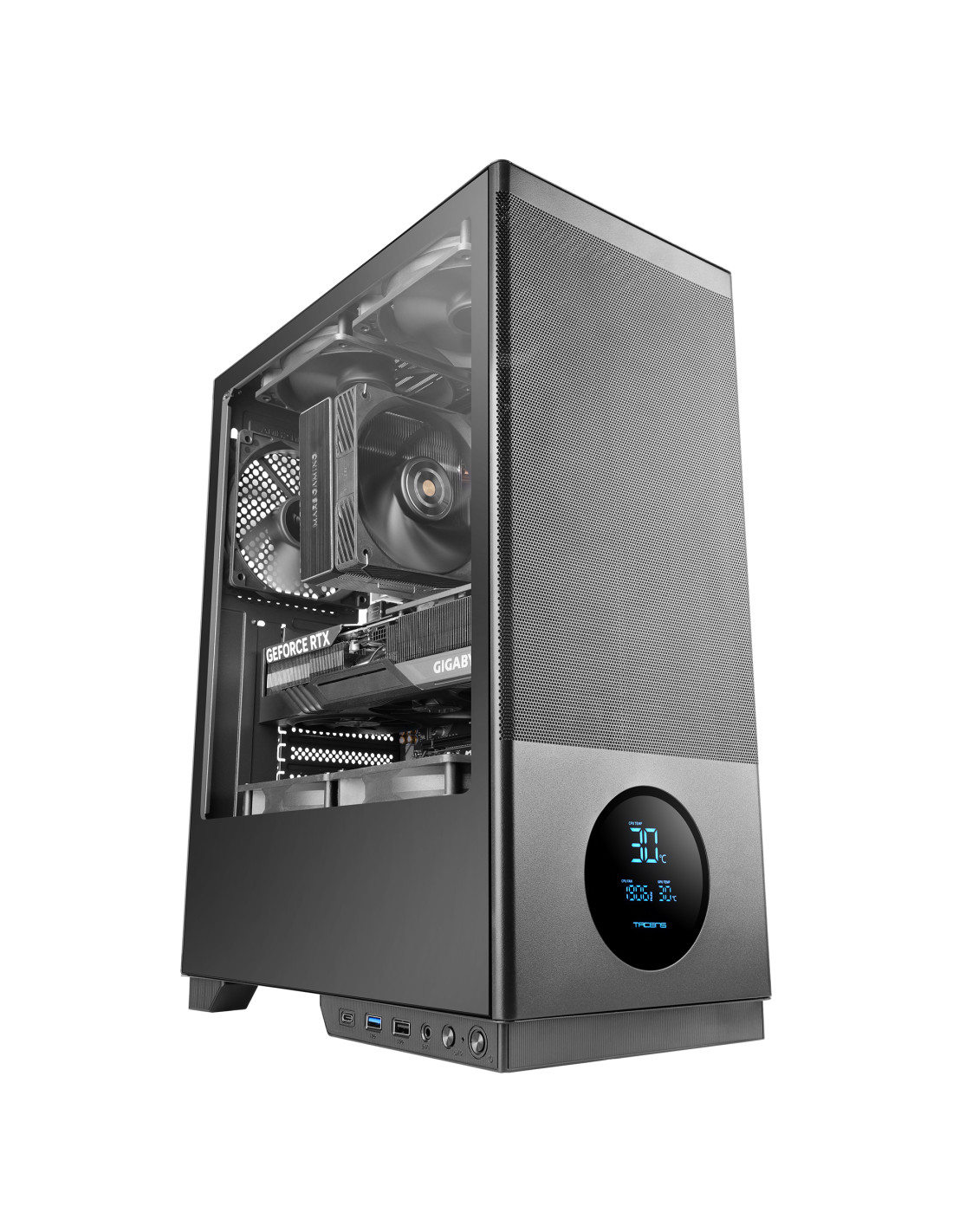
SAGITTA20
| Weight | 3.91Kg |
|---|---|
| Dimensions | 450x190x340mm |
| Size | Mid-tower |
| Fan capacity | Top 2x 120mm or 2x 140mm / Bottom 2x 120mm / Rear 1x 120mm |
| Ports | USB3.0 x1 / USB2.0 x1 / USB-C x1 (USB3.0 data transfer speed) / HD Audio + Mic (combined) |
| Power supply support | ATX |
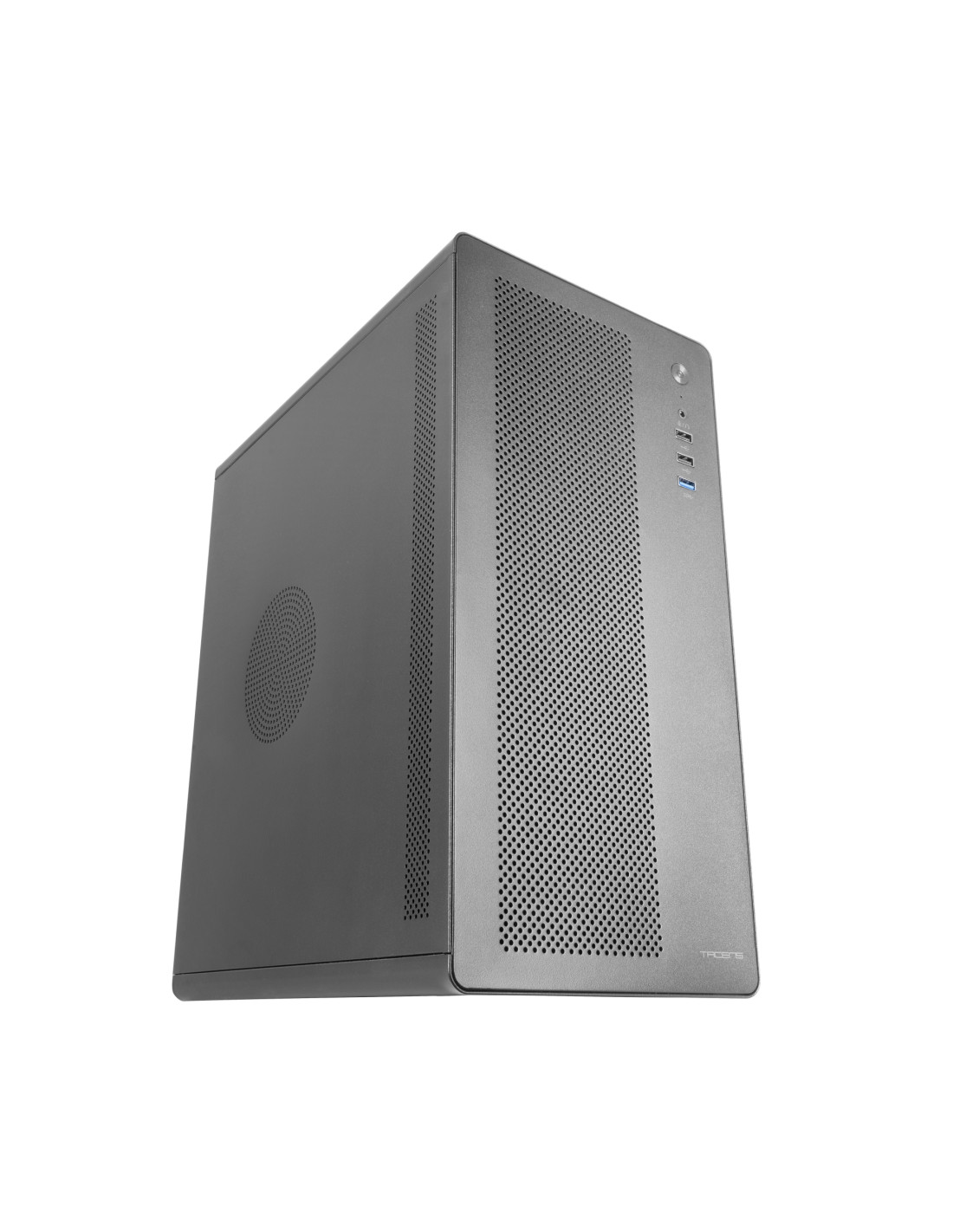
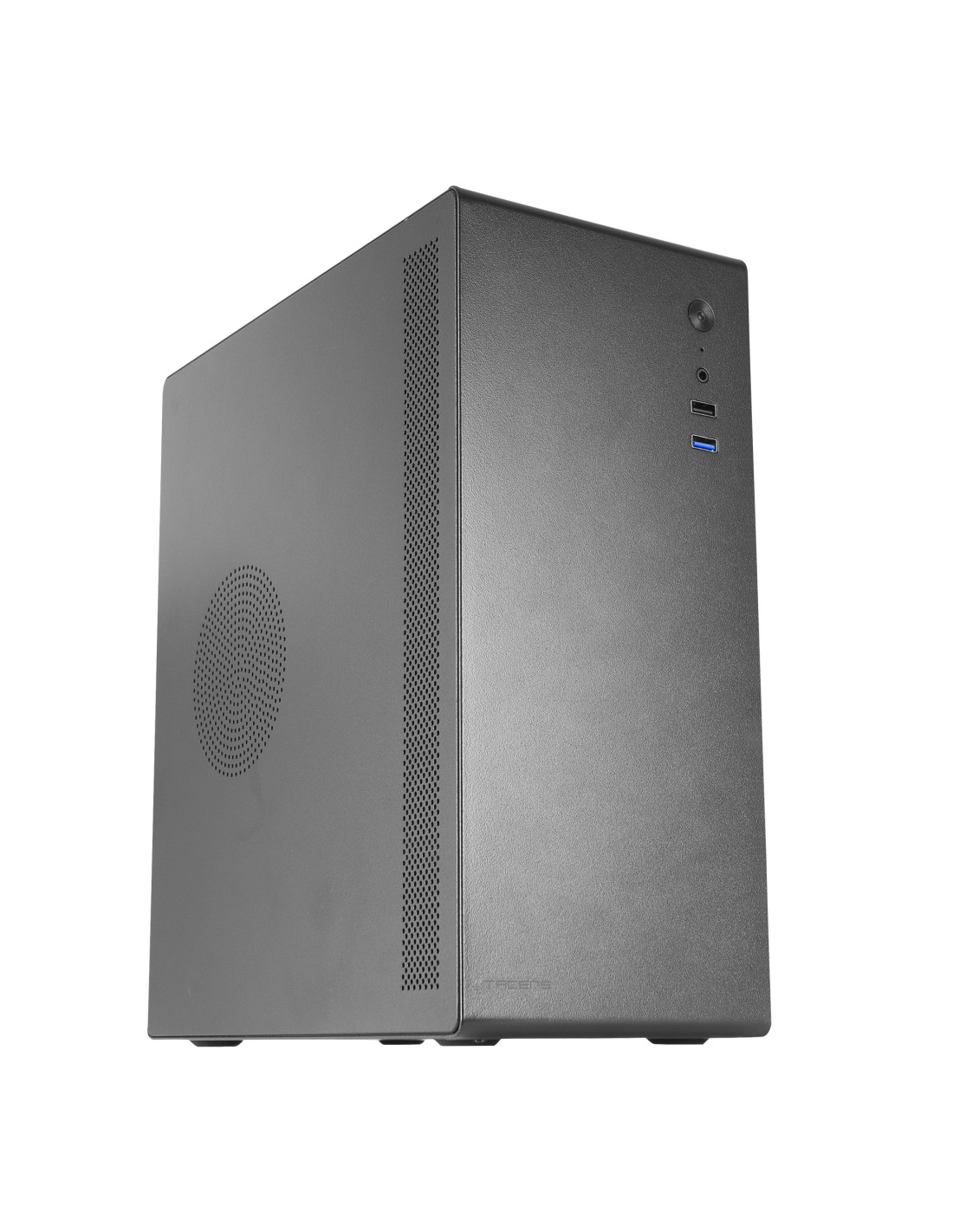
NOVAX550BR
| Weight | 3437g |
|---|---|
| Dimensions | 356x166x275mm |
| Size | Mini-tower |
| Fan capacity | Rear: 1x 80mm |
| Ports | USB3.0 x1 / USB2.0 x1 / HD Audio + Mic (combined) |
| Power supply support | ATX |
Frequently asked questions about front ports
Is it essential to have a USB-C port on the front of the case?
It is highly recommended if you use modern peripherals such as smartphones, portable SSDs or accessories with USB-C to USB-C cables. It allows you to connect devices without needing adapters or having to resort to the rear ports of the motherboard.
Can front USB 2.0 ports be converted to USB 3.0?
Not passively, since internal USB 2.0 connectors have 9 pins compared with the 19 pins required by the USB 3.0 bus. The speed remains permanently limited by the cabling and the front panel connector itself.
What is the difference between a combined and separate audio connector?
The combined connector joins microphone input and audio output in a single 4-pole 3.5 mm jack socket, ideal for modern headsets. Separate sockets require two independent 3.5 mm jack plugs for signal and microphone.
The best: Having at least one USB 3.0 alongside auxiliary USB 2.0 sockets and USB-C covers all the needs of modern transfers and peripherals.
The worst: Front USB-C ports in conventional chassis operate at USB 3.0 speeds (5 Gbps) rather than the higher 10 or 20 Gbps standards.
Buy it if: You regularly transfer large files and want to connect headphones or fast peripherals at the front without reaching round the back.
Don't buy it if: Your motherboard lacks internal 19-pin USB 3.0 headers or you only use fixed rear ports for all your devices.